


In this article, we analyze why to choose Yoast SEO WordPress plugin for SEO management on WordPress and WooCommerce sites.
In today’s digital landscape, the SEO strategy is no longer an option, but a necessity for any business owner who wants to grow his or her business online to acquire new potential customers and increase sales.
If your site was built with WordPress o WooCommerce, choosing the right SEO management tool can make the difference between being visible or staying in the shadows.
In this scenario, the Yoast WordPress plugin emerges as the most comprehensive, reliable and intuitive solution for optimizing every aspect of your online presence.
Before we get into the details of the functionality of this plugin I would like to tell you that having a great plugin is not enough to make an effective SEO.
It all starts, as always, with the ranking goals you want to achieve and the SEO strategy you want to implement.
We at Factory Communication have been using Yoast SEO since back in 2016 and have installed it on all client websites and eCommerce sites.
By reading this article you will find out why we made this choice.
N.B. all images in this article were made by making a print screen of the SEO setup of this article made with Yoast.
What is the Yoast SEO WordPress plugin?
The Yoast SEO WordPress plug ins is the recognized leader among SEO plugins for WordPress, designed to make SEO accessible, clear and high-performing for both first-timers and those running high-traffic sites.
Yoast SEO offers a full suite of tools to improve your site’s visibility in search engines, increase organic traffic and reach the right audience, all with simple, guided management directly from the WordPress editor.
Yoast SEO what it is and why it is so popular
When we talk about Yoast SEO Premium we are referring to a plugin that goes beyond simple content optimization.
Yoast SEO analyzes your articles and pages in real time, suggesting improvements for both SEO and readability, helping you structure your content effectively and handle all the technical aspects of SEO, such as XML sitemaps, breadcrumbs, and Schema.org markup.
The concrete advantages of Yoast SEO WordPress plugin
1. SEO analysis and readability in real time
The heart of the yoast seo wordpress plugin is real-time analysis: as you write, the plugin gives you immediate feedback on how to improve keyword usage, text structure, paragraph length, and the presence of elements such as headlines and internal links.
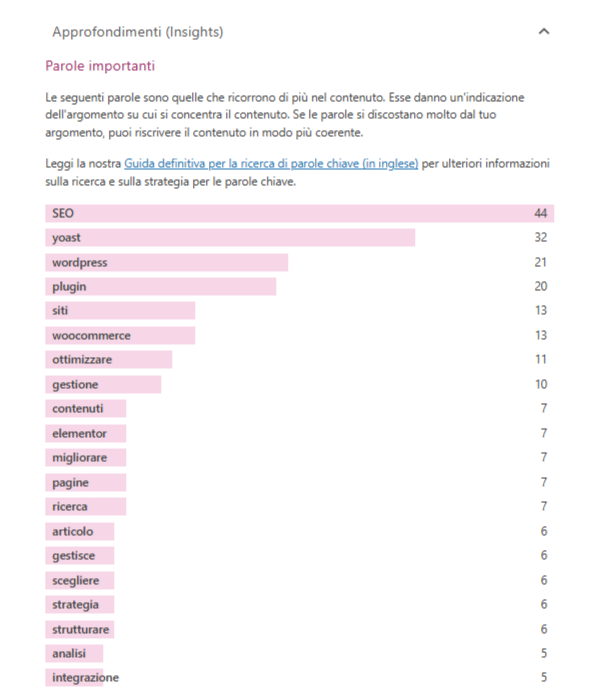
This allows you to optimize each piece of content for search engines and users, reducing the risk of errors or forgetting.
2. Advanced management of title and meta description
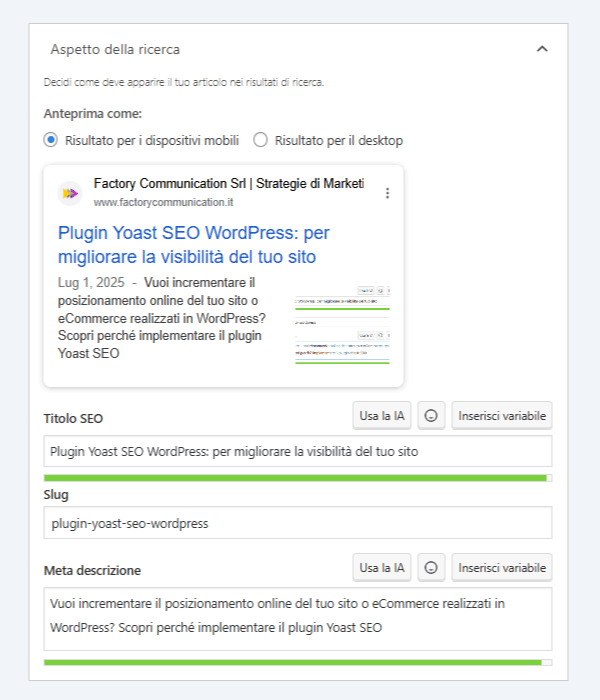
With yoast seo wordpress you have full control over SEO titles and meta descriptions, key elements to increase CTR (Click Through Rate) in search results.
The plugin offers a snippet editor with real-time preview, so you can immediately see how your page will look on Google and optimize every detail to maximize clicks.
3. Automated XML sitemap and site structure
One of the strengths of the yoast plugin is the automatic generation of XML sitemaps, which facilitates the indexing of content by search engines.
At the same time, breadcrumbs management improves site navigability for both users and Google Search Console by strengthening internal structure and authority distribution among pages.
4. Technical optimization without development expertise: Yoast Schema org
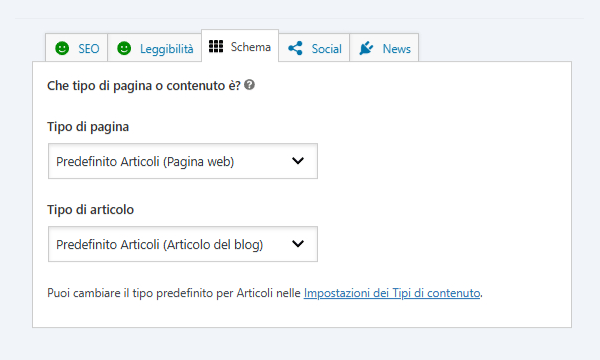
The wp yoast takes the technical complexity out of SEO: the plugin automatically takes care of advanced settings such as Schema.org markup, canonical URL management, robots meta tag configuration, and duplicate content prevention.
All this without you having to touch a line of code.
5. Seamless integration with WooCommerce
If you run an e-commerce business, the WooCommerce Yoast pairing is simply unavoidable.
The WooCommerce Yoast SEO plugin adds functionality specifically for online stores:
- optimization of product sheets
- generation of rich snippets (prices, availability, reviews)
- dedicated product sitemaps
- SEO analysis designed to increase visibility and conversions of items for sale.
Yoast WooCommerce also allows you to easily manage the structured data required by Google Merchant Center and Facebook Marketplace, improving your products’ presence in search results and on social.
6. Full compatibility with Elementor
For those using Elementor, the combination Elementor SEO Yoast represents the ideal solution: you can optimize pages, articles and products directly from Elementor’s visual interface, without interruptions in your workflow.
Yoast’s sidebar is integrated into the Elementor editor, offering all the functions of SEO analysis, keyword suggestions, snippet preview and schema management.
Elementor Yoast SEO also allows you to optimize content for multiple keywords (in the Premium version), improve internal link structure, and customize the appearance of pages when shared on social.
7. Seamless integration Yoast SEMrush
If you want to implement a topo SEO strategy I recommend integrating Yoast SEO with SEMrush this way on the one hand you can do analysis, planning and strategy, on the other hand you can implement all the information directly in WordPress.
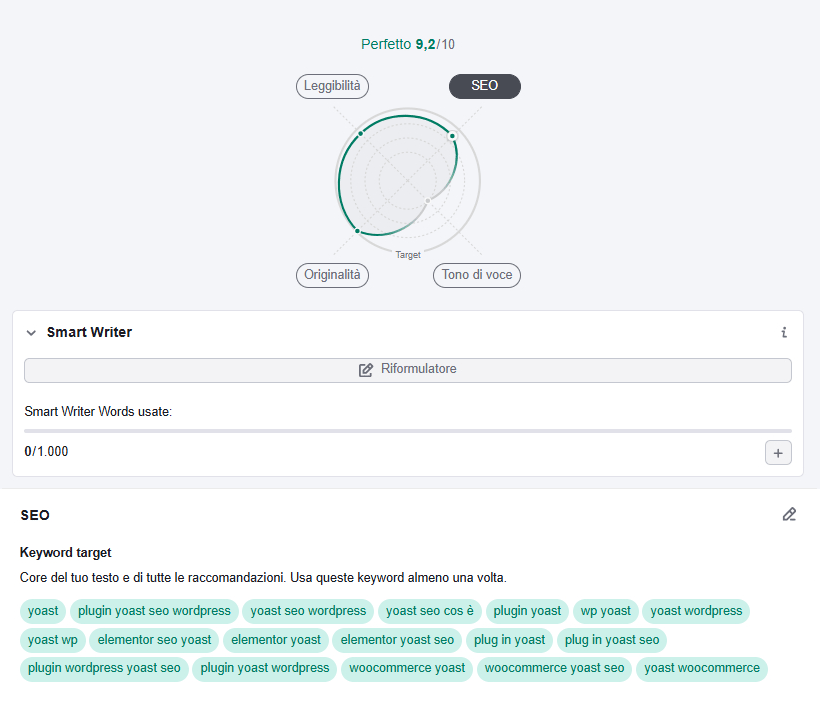
8. Advanced features for those who want more
In the Premium version, the Yoast SEO plug in offers additional tools such as:
- Optimization for multiple keywords and synonyms per page
- Automatic suggestions for internal links
- Advanced redirect management (redirect manager)
- Automatic generation of titles and meta description (meta description) using AI
- Social previews for Facebook and Twitter
- Access to exclusive training content through Yoast Academy
These features are especially useful for companies that want to scale their SEO strategy and manage large or multi-author sites.
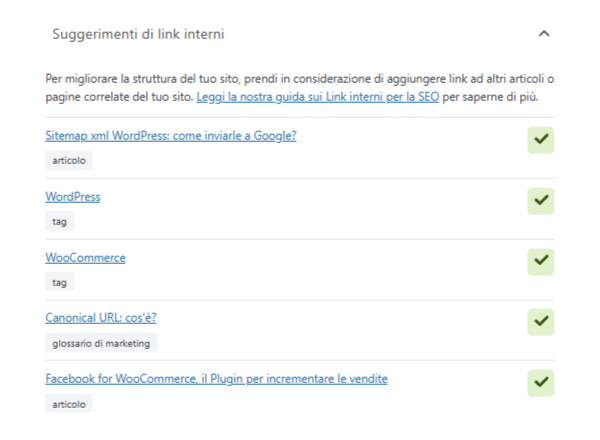
How to integrate the WordPress Yoast SEO plugin into your site
Installing the Yoast plug in is quick and easy: just search for “Yoast WP” in the WordPress plugin section, install and activate it.
Once operational, you can configure the general settings, choose the main keywords for each page and take advantage of all the analysis and optimization functions offered by the plugin.
For those using WooCommerce, it is advisable to add the Yoast WooCommerce SEO extension to unlock all dedicated e-commerce features, while those working with Elementor can benefit from the native integration for uncompromising SEO management.
Conclusion
Investing in the Yoast SEO WordPress plugin means equipping yourself with a professional, constantly updated tool designed to simplify SEO management even for non-technical people.
Whether you run a blog, corporate site or online store with WooCommerce, Yoast SEO gives you everything you need to compete at the highest level in search engine rankings, improve user experience and grow your business in a sustainable and measurable way.
How to position your WordPress site on search engines and AI
Want to learn more about WordPress and WooCommerce? Also read these articles:
- WordPress marketplace: WC Vendors vs WCFM which one to choose?
- llms.txt indexes your site for ChatGPT and Gemini
- Facebook for WooCommerce, the Plugin to boost sales
- Pinterest for WooCommerce: complete guide for your eCommerce
- WooCommerce vs Shopify with a look at SEO
- Fast hosting for WordPress: why it’s critical for SEO
- Creating a site with WordPress: Why?
- Schema.org what it is and why it is critical for SEO

