
In this article we explain the benefits of using the Pinterest for WooCommerce plugin to integrate your eCommerce made with WooCommerce and the social network Pinterest.
Integrating WooCommerce with Pinterest is a strategic choice for any business owner looking to expand their digital presence and experience, increase product visibility, and generate sales in an organic and automated way.
Pinterest is not just a storefront, but a true visual search engine where users are already predisposed to purchase and discover new brands.
Thanks to the official “Pinterest for WooCommerce” plugin, the integration process is simple, secure and full of advanced features that allow you to:
- Automating the publication of products
- Monitor and optimize campaign performance
- Increase qualified traffic to the site
- Strengthening brand awareness and online reputation
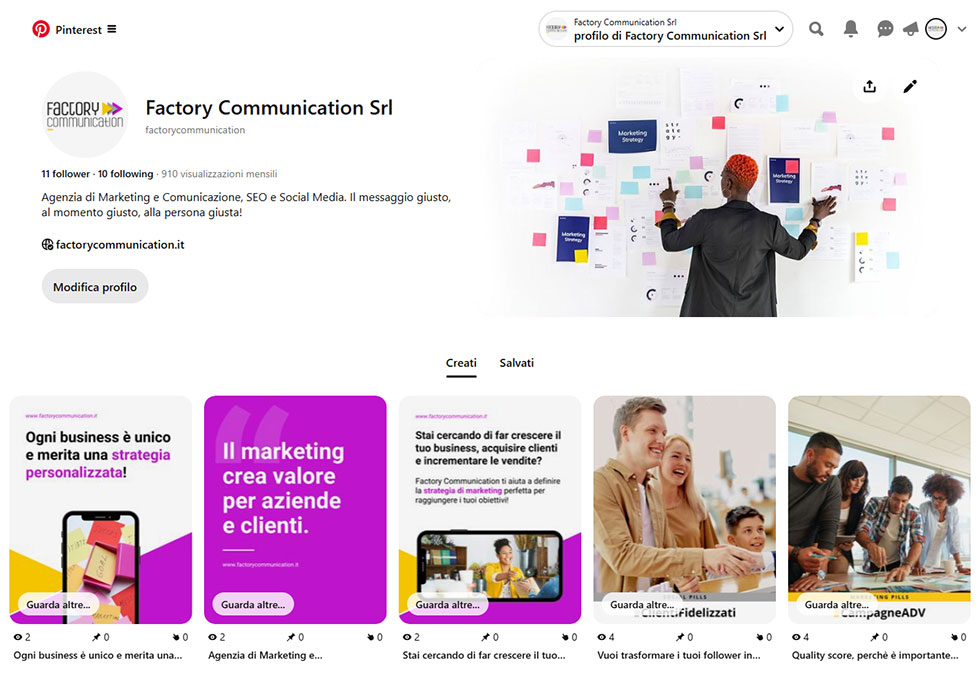
What is Pinterest
Pinterest is a visual discovery platform that allows users to find inspiration, organize ideas and discover new products through images and videos, called “Pins.”
Launched in 2010, it now has more than 500 million monthly active users worldwide, with a community that is strongly geared toward action and purchase.
Users (“Pinners”) create thematic bulletin boards where they save visual content they find interesting or useful, often related to projects, passions, or future purchases.
Unlike other social networks, Pinterest acts as a true visual search engine: people use it to plan events, find ideas for home, fashion, food, and, most importantly, to discover new products and brands.
Each Pin can link directly back to the source site, easing the transition from discovery to purchase, making Pinterest a strategic platform for companies that want to intercept users at the decision-making stage.
What is WooCommerce
WooCommerce is the world’s most popular open source eCommerce platform designed to integrate seamlessly with WordPress.
Created as a free plugin, WooCommerce turns any WordPress site into a complete and customizable online store, enabling the sale of physical, digital products, services and subscriptions.
Its strengths include flexibility, scalability, and the ability to manage every aspect of the business-from product catalog and payments to logistics, marketing, and data analysis.
WooCommerce offers a rich ecosystem of extensions and plugins that allow you to add advanced features, such as multilingual management, B2B sales, CRM integration and automation tools.
Due to its open source nature, any business owner can adapt WooCommerce to their needs, while retaining full control over data, design and sales strategies.

Pinterest plugin WooCommerce benefits for businesses
Integrating WooCommerce with Pinterest offers a number of strategic benefits for businesses that want to increase online visibility, attract new customers and boost sales.
Here are the main benefits:
Access to a ready-to-buy community
Pinterest is distinguished by an active user base of people who are looking for inspiration and are already predisposed to purchase.
About 70% of Pinners use the platform to discover new products and brands. This makes Pinterest an ideal channel for intercepting decision-making users and guiding them to your e-commerce.

Increased product catalog visibility
With the integration, the entire WooCommerce catalog is synchronized to Pinterest in just a few clicks, turning each product into a “shoppable Pin” that can be found through visual and thematic searches.
Each new product or update is automatically posted, ensuring an up-to-date presence.
Qualified traffic to the site
Each Product Pin links directly to the product tab on your eCommerce, generating highly profiled traffic interested in purchasing.
Users arriving from Pinterest are often more likely to convert because they have already expressed a visual interest in the product.
Automation and time saving
The integration eliminates the need to manually upload products to Pinterest.
Everything is done automatically: images, descriptions, prices and availability are synchronized without manual intervention, reducing errors and optimizing internal resources.
Improving SEO and brand awareness
Pinterest Pins can also rank in Google search results, providing an additional channel of organic visibility for your products.
In addition, the viral nature of the platform allows your products to be saved, shared and repurposed by other users, amplifying brand awareness.
Performance analysis and optimization
With built-in analytics tools, you can monitor which Pins generate the most traffic, conversions and sales, optimizing campaigns and ad investment in a data-driven way.
Participation in the Verified Merchant Program
The integration allows people to join Pinterest’s “Verified Merchant” program, gaining a trustworthy badge and access to advanced distribution and shopping features.
Pinterest for WooCommerce: the official plugin for integration
To securely and reliably connect WooCommerce to Pinterest, the most effective solution is the official “Pinterest for WooCommerce” plugin, developed and supported directly by WooCommerce.
This tool is designed to make the integration process as easy as possible by offering a number of advanced features dedicated to businesses.
WooCommerce Pinterest plugin: main features
Automatic catalog synchronization
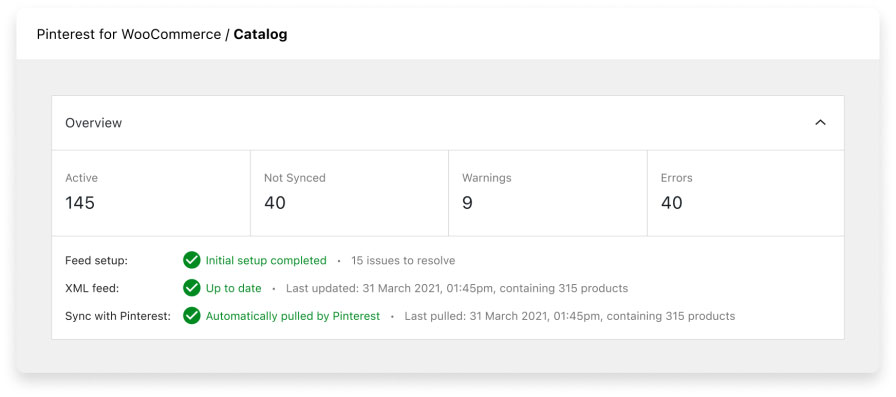
The plugin connects your WooCommerce catalog to Pinterest, turning each product into a shoppable Pin with up-to-date images, descriptions, prices and availability.
Any changes made on WooCommerce are automatically reflected on Pinterest, ensuring consistency and saving time.
“Save to Pinterest” button
Adds “Save” button to product images on your site, allowing users to easily save your products to their Pinterest boards, increasing virality and the chance of being discovered by new users.
Installing the Pinterest Tag
The plugin allows you to easily install the Pinterest Tag, a script that tracks user actions on your site (views, additions to cart, purchases), providing valuable data to optimize ad campaigns and track conversions.
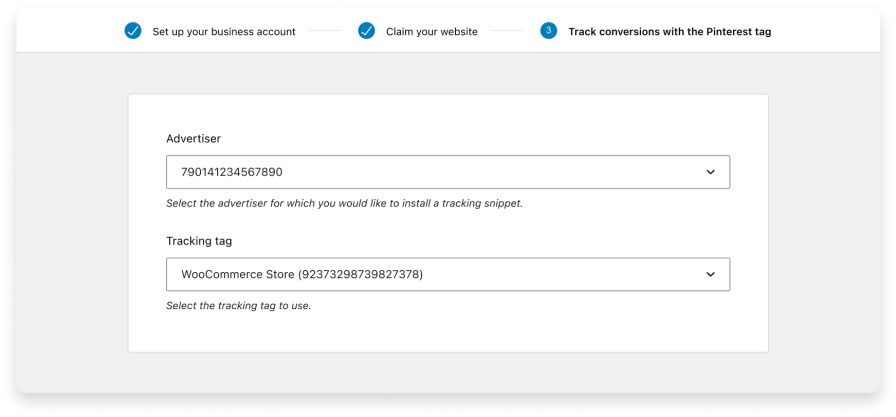
Advanced campaign management
You can promote your products through ad campaigns directly on Pinterest, leveraging the data collected to segment your audience and improve ad performance.
Bulk Pinning and Centralized Management
From the WooCommerce control panel, you can bulk manage the publishing of products on Pinterest, schedule Pins and customize the images to show.
Participation in the Verified Merchant Program
The plugin makes it easy to apply for membership in the verified merchant program, which offers increased visibility, reliability badges and access to exclusive eCommerce features.
Pinterest WooCommerce plugin: How installation works
Installation is simple and guided:
- From the WordPress backend, go to “Plugins” > “Add New” and search for “Pinterest for WooCommerce.”
- Install and activate the plugin.
- Follow the wizard to link your Pinterest Business account and authorize catalog synchronization.
- Configure synchronization settings, choose which products to publish, and customize Pinning options.
- Install the Pinterest Tag to track conversions and access analytics directly from your WooCommerce board.
Advanced Features
- Real-time synchronization: every update on WooCommerce is replicated on Pinterest within 24 hours.
- Product feed management: you can upload the feed manually or via URL, facilitating automatic catalog update (woocommerce pinterest product feed).
- Rich Pins: product Pins include additional information such as price, availability and description, improving user experience and likelihood of conversion.
- Integrated analytics: monitoring Pin performance, conversions and ad campaigns to optimize marketing strategy.
Conclusion: why every business owner should integrate WooCommerce with Pinterest
In an increasingly competitive market, leveraging the synergies between WooCommerce and Pinterest can make the difference between an eCommerce that grows and one that remains invisible.
Investing in this integration today means positioning your business where your customers are looking for inspiration, ideas and products to buy.
Want to make your social media strategy effective on Pinterest? Also read these articles:
- Advertising on Pinterest: benefits and data for entrepreneurs
- Marketing Pinterest why use it to grow your Business
- SEO Consulting for WooCommerce
- Creating an e-commerce site to sell online: a guide for Entrepreneurs
- Ultimate SEO checklist for Your E-commerce!
- E-commerce seo optimization: what to do?
- Opening an eCommerce store: our 12-point checklist