
This article explains WooCommerce Merchant Center, that is, the connection between your e-commerce made with WooCommerce and the Merchant Center of Google Shopping.
If you arrived at this article, you probably typed one of these keywords into Google:
- google feed woocommerce
- woocommerce merchant center
- shopping feed woocommerce
- woocommerce feed google shopping
Don’t worry you have come to the right place.
If you have set up your online store, you have probably realized that launching it on the market and increasing sales is definitely not an easy thing to do.
Creating an e-commerce is only the first step. Lots of activities such as content marketing, social media marketing and ADV campaigns are essential to make it visible to your potential audience.
Today we want to tell you about a strategy/solution that allows you to intercept the large number of users who use Google to search for products they are interested in.
Online sale site: publish your e-commerce products on Google feed
Do you want to increase your online shop sales, multiply the visibility of your products and find customers? Showcase them on Google as well.
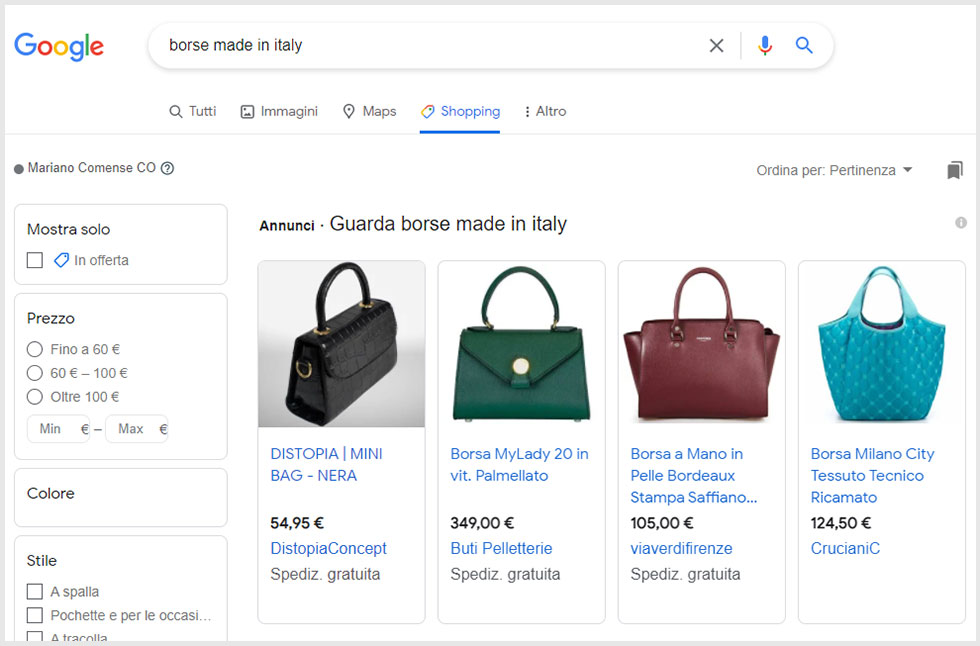
In this image, the results of the search conducted on Google Shopping using the keyword “Made in Italy Handbags”
To do this, you can use smart shopping ads campaigns: your ads will be visible throughout Google’s network.
Preferably, better to integrate your shop directly with a Google Merchant Center account, because you save time in uploading products and, most importantly, manage Google Shopping and Google Ads more easily.
What is Google Merchant Center?
Google Merchant Center is a free service from Google that allows you to reach, every day, hundreds of millions of people doing shopping-related searches on Google.
It is a very powerful platform and relatively simple to use.
Loading products into Merchant Center can be done:
- Manually through a special interface
- Through the import of calculation files with .CSV and XML extension
- Using special Plugins that allow you to connect an e-commerce site directly to the Google suite
- Through third-party services such as as Products Up and Lengow
In Google Merchant Center you can define:
- I target market
- Currency
- Shipping costs
N.B. If you directly connect your e-commerce to Google’s suite, thanks to the Data Feed (data flow) you can keep the information about: prices, stocks, photos, descriptions and technical information of the product always up to date.
Essentially you have a very powerful suite that helps your potential customers easily find details about your products right when they need them or are looking for inspiration.
Being present on the most important search engine also allows you to strengthen consumers’ perception of your Brand.
If your e-commerce is built with WooCommerce, the procedure is very easy and you have great benefits for campaign management.
You really increase the chance of finding new customers because your products will be shown to users directly in the SERP, Google’s search results page.
In addition, by connecting WooCommerce to Google Shopping, you can implement smart shopping campaigns by also distributing advertising on Google Images, YouTube, etc.
How to increase sales with Google
We mentioned that through smart shopping campaigns you can increase sales and that if you integrate WooCommerce with your Google Merchant Center account, you can quickly and automatically manage Ads.
But is it really useful? Will you really be able to acquire customers?
Based on our experience, we can tell you that with a well-designed smart shopping campaign, you get unquestionable benefits:
- Increase sales by multiplying ROI over spending;
- You find new customers because you expand your network.
Potential buyers won’t have to access your e-commerce, but they will meet you on the Google Display Network, in Google Shopping, in the SERP, on YouTube, in Gmail; - You only pay if the user clicks on your ad;
- If you use a plugin like Google Ads & Marketing, you also have automatic tracking of sales and campaign performance on your WooCommerce Store.
In addition, it is the right historical moment to focus on e-commerce. Briefly, some data.
Finding customers by selling products on Google Shopping
The first thing you need to do to use Google Shopping or Google Ads is to create an account on Google Merchant Center. Simply, follow the wizard. If you already have a Google account, you can log into the Merchant Center with the same credentials.
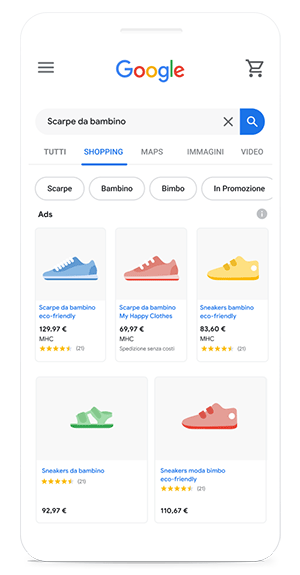
Google Shopping: how it works
Google Shopping allows you to place your products directly among Google’s search pages.
This is why many online stores find it a great tool for finding customers for their businesses.
The way it works is identical to Google Ads: you will set an advertising budget and each individual ad will go to auction among competitors.
As with Google Ads, competition is based on keywords.
For example, do you have a sporting goods e-commerce and want to sell a pair of running shoes on Google Shopping?
You could use keywords such as“running shoes” or “running shoes.”
Users who perform the search will see your products among the Google Shopping results, which from now on we will call Product Listing Ads, or PLAs.
Where will they be visible once paid campaigns are activated?
Among the top SERP results or on the side of the search results.
Uploading your e-store data to Google Shopping
Once you have activated your account on Google Merchant Center you are enabled to use Google Shopping. Now you need to upload data for all the products you have in e-commerce (or just the ones you want to show in Google Shopping as well). The data from all product cards will go directly to enrich PLAs.
How do you do it? Below we describe two paths you can take. The first requires uploading data from an Excel or otherwise .csv spreadsheet.
The second, on the other hand, allows you to export data in .csv from your shop made with WooCommerce and upload it back to Google Shopping.
These are appropriate solutions if you have few products to sell.
If your store’s catalog is large, there is a third, much quicker and more beneficial option: directly integrate your WooCommerce store with your Google Merchant Center account and manage Google Shopping and Ads.
The .CSV spreadsheets
The first route you can take requires some manual work.
It involves uploading data to Google Shopping through a spreadsheet in .csv format.
This option works if you have very few products in your store and you can repeat the operation of uploading the data to the platform.
All you have to do is log into your Google Merchant account and go to products/feeds/add.
Remember that in the .csv sheet you must fill in all the fields required by Google Merchant Center. You can help yourself with the standard template suggested by the Google support page.
Do you have multiple items to transfer? Reduce the time by choosing to use specific plugins. The next example is already calibrated to a WooCommerce plugin, which allows you to simplify the task.
Product CSV import suite
This plugin allows you to export your WooCommerce store data to a .csv file.
Then, after doing this, you can import it to Google as mentioned in the previous point.
The product is paid, but it also allows you to add new data fields.
There are other plugins that perform the same function.
WooCommerce also has its own free default Explorer.
We preferred to recommend you to use this plugin because it has some extra features that can make things easier for you.
In our opinion, this is not the best solution, especially if you have a large amount of products.
As we said, in fact, there is a way to directly integrate WooCommerce and Google Merchant Center.
You can also immediately start your paid smart shopping campaigns on the entire Google network (SERP, Images, YouTube, etc.) to acquire customers.
We’ll tell you about it right now.
WooCommerce Google Shopping Plugin
Thanks to the Google Ads & Marketing by Kliken plugin, it is possible to make ads with Google ADS directly from our e-commerce made with WooCommerce with 4 simple steps.
It costs $10 per month and allows you to fully automate the flow of data from your WooCommerce shop to your Google Merchant Center account.
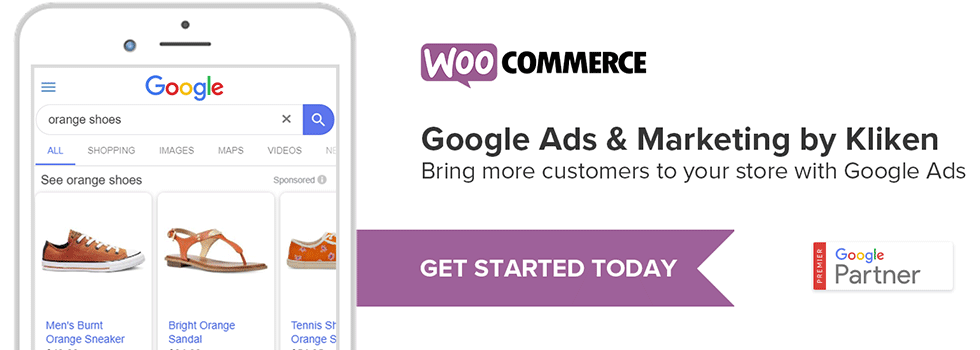
In other words, within a few clicks:
- You connect to your Google Merchant Center Account;
- Manage PLAs on Google Shopping;
- Get the ADS of paid smart shopping campaigns going on Google, Gmail, YouTube, Google Images, etc.
Why Install Google Ads & Marketing
If you have an online store several times you may have wondered whether to also publish your products on platforms such as e-bay, Amazon or Google Shopping.
Generally, one of the things that holds us back the most in this type of activity is the duplication of work that we necessarily have to do. Every time we publish a product on our e-commerce, we necessarily have to update it on external platforms as well.
Today we are helped by a WooCommerce plugin developed by Kliken.
The installation is extremely quick and easy; you can find it below.
If you have an online store, you know perfectly well that selling is not that simple. By now, even on the Web, competitors are multiplying by the day. Having an additional advertising channel certainly doesn’t hurt.
By the way, today thanks to a close partnership between WooCommerce and Google, you can also take advantage of a voucher worth 150.00 euros to spend to make our Campaigns visible with Google Ads.
Installation procedure of WooCommerce Google Shopping plugin by Kliken
Benefits of linking WooCommerce and Google ADS
- With this integration, you can acquire more customers on Google at the very moment they are searching for your products.
- You can get the maximum return on your investment thanks to automatic offers generated by the platform that maximize sales based on the Budget invested.
- Another extremely important aspect is that you keep Google Ads Campaigns synchronized with the products in your store. Only products that are available will then be marketed.
- With this integration you create buying campaigns in minutes.
The plugin will be concerned with:
- Automatically generate feeds for Google Shopping
- Automating bidding
- Maximizing return on advertising spend
- Measuring conversions and sales
- A special offer from Google for WooCommerce customers.
Do you have in online sales site and want to find out how to increase customers?
Also read these articles:
- SEO Consulting for WooCommerce
- WooCommerce vs Shopify with a look at SEO
- WooCommerce Merchant Center: boosts online business
- Facebook for WooCommerce, the Plugin to boost sales
- WooCommerce Hubspot handles abandoned shopping carts
- SEO product tab: optimization for WooCommerce
- Discover the 10-step strategy to get your e-commerce off the ground
- Opening an eCommerce store: our 12-point checklist
- International SEO for a multilingual strategy