



In this article we see how, thanks to Facebook Lead Generation, you can implement a strategy to collect leads even if you do not have a website.
If you are reading this article you probably typed one of these keywords into Google:
- facebook leads
- lead generation facebook examples
- lead generation on facebook
Lead generation Facebook what is
Facebook lead generation campaign is a very important tool and used daily in web marketing strategies.
They provide a competitive advantage over our competitors because they allow us to reach a large audience, targeted based on some specific information.
Like any marketing activity, before implementing a ppc campaign, it is essential to define what our company’s positioning is.
We invite you to read this section of our website: positioning strategy.
Not only that. For a profitable and continuous return over time, it is also extremely important to define what the customer experience.
That is, what is the experience that our Client will have.
Essentially nothing can be left to chance.
But let’s go back to the drawing board.
Facebook contact generation campaign using the company page
Until recently, one of the limitations of setting up PPC campaigns on Facebook consisted of the Call To Action. Basically, where do I take the contact?
If the user was interested in a product or buying it was difficult to generate real business directly on the Facebook page. There was a risk of high cost per lead and low quality of leads.
But it is now clear to everyone that Mark Zuckerberg and his entire team want to make Facebook and Instagram a world unto themselves.
While on the one hand we have Google wanting to index everything that is published (this is actually its mission to make its search engine appeal), on the other hand Facebook is a closed world where google cannot enter.
A garden, a large garden where the neighbor can do nothing but look out and watch a very green and very lush grass grow.
And it is clear that this choice is proving successful.
Facebook is increasingly implementing several new services.
We encourage you to look at our section of the site that talks in depth about Facebook and the different opportunities.
But back to our page and the possibility of collecting Leads.
Facebook has introduced a new module in the ads section that is just right for us. But how to use it?
As a first reminder, these services can only be activated if you have a Facebook Page and not a personal profile.
We also point you to Facebook’s technical support page that explains how to set up the Contacts module.
Regarding contact acquisition ads, Facebook very clearly describes what information we cannot ask a user for and the procedures for doing so:
- The first item actually tends to improve the data collected so Facebook asks to make questions that are consistent with the original profiling of the Social, so if you want to know a person’s age, use “Date of Birth,” and not your own question such as “How old are you?” or “What is your date of birth?”
- Official identity documents;
- Financial information;
- Account numbers;
- Health status information;
- Insurance information;
- User names or passwords;
- Race or ethnicity;
- Sexual orientation or sex life information;
- Religion or philosophical belief;
- Political orientation;
- Union membership status;
- Criminal history or arrests
In fact, Facebook wants to limit profiling to only business-type information related to a Company or Product/Service, excluding that which is more sensitive and discriminating and therefore subject to Privacy.
Obviously Facebook has all this information, related to each of us, already, since every time we put a Like or a comment we are telling our Tastes, habits and way of thinking from all possible points of view: Sexual, Religious, Political, Social, Cultural etc…
But let’s return to the setup of our Form.
Lead generation Facebook examples
Below we guide you step by step to creating the contact form.
What you see is a campaign that we created for Ideas and Solutions, Advertising Corporate & Web Design Agency of Factory Communication.
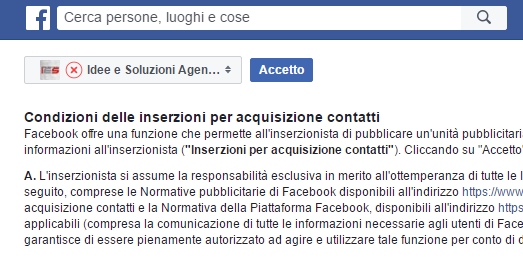
Where you have read regulations regarding contact acquisition listings you will need to agree to the terms of use by selecting your page as shown in this image.
To continue with the creation of the Form Facebook warns us that we must have:
- Of a URL that leads back to an online page on which we have posted terms regarding our Company’s Privacy;
- One or more images to make the advertisements;
- Texts to define advertisements;
After that we can access the module to generate advertisements. We at Factory Communication use Facebook’s Business Manager platform, which allows us to manage all the campaigns created for different Clients with full autonomy and control.
If you only have one page, you can also use the basic module of Managing Listings.
Now simply click Create Listings and the following page will appear:
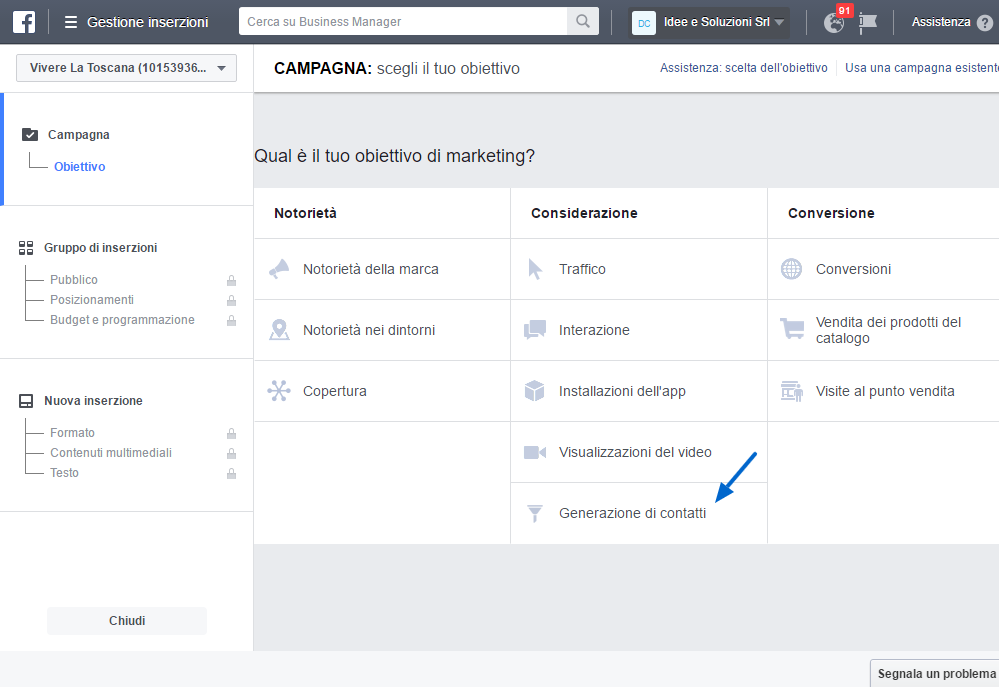
Click on the Contact Generation Form and the following image will appear.
In a subsequent article we will address A/B Campaigns.
Name your advertising campaign.
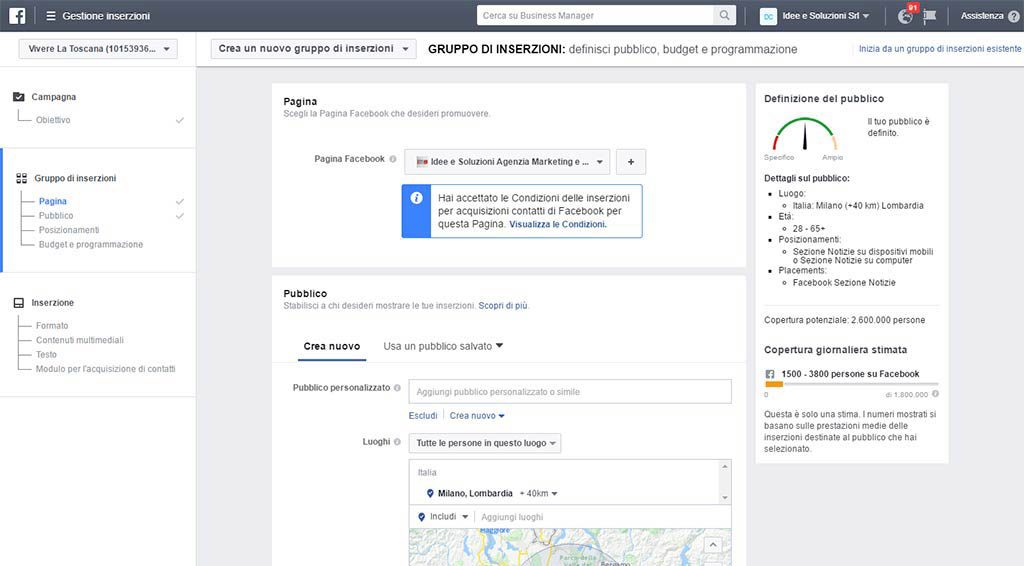
Since the goal of this article is to describe the next module for generating contacts, we ask you to independently configure your campaign according to the audience you want to reach, territory etc.
Below is a purely indicative image.
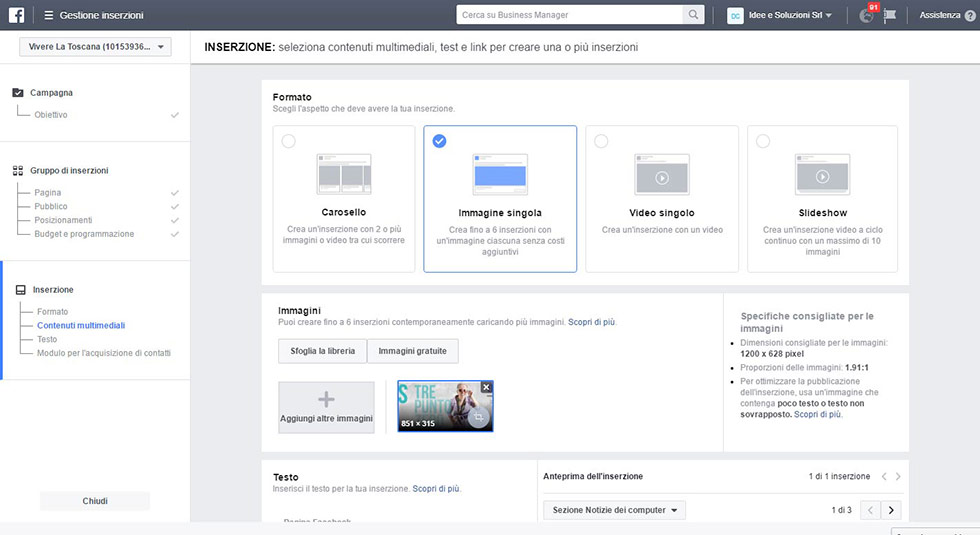
Now you can proceed to define the listing. In Facebook you have plenty of forms available, not the subject of this article.
In this case we have selected the simplest option, which is to use only one image.
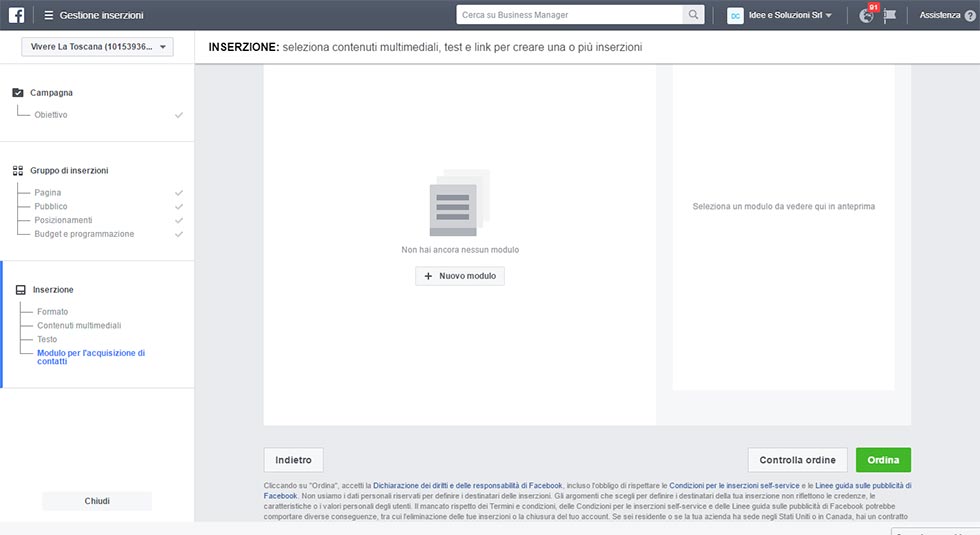
If you scroll to the bottom of this page you will find the section on creating a Contact Form.
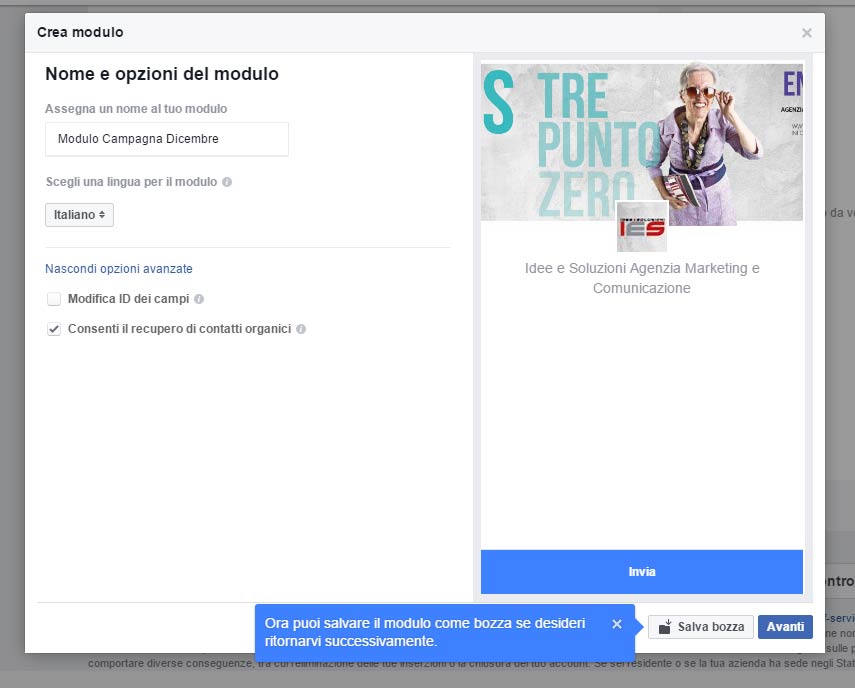
The next step is extremely simple and consists of entering the form name and selecting the language. Changing field IDs will be explored in more detail in a subsequent article.
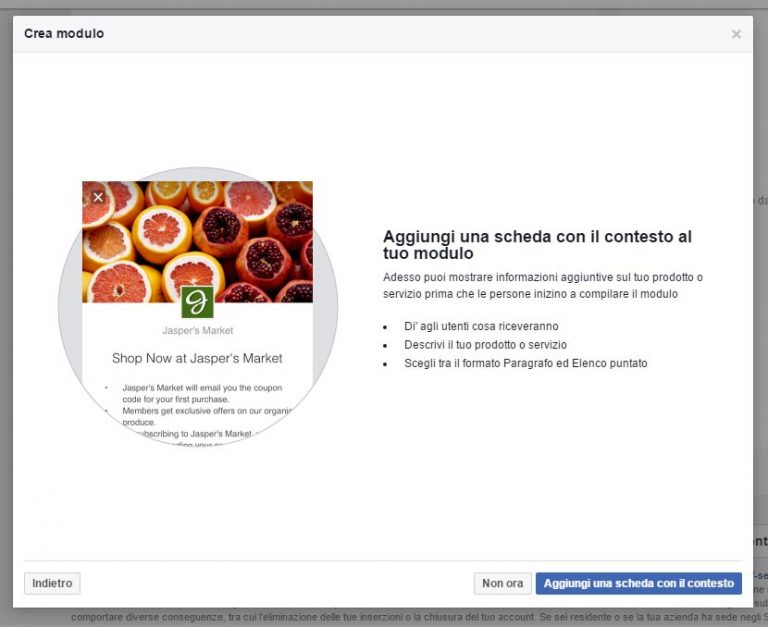
Facebook will ask us to make the context tab.
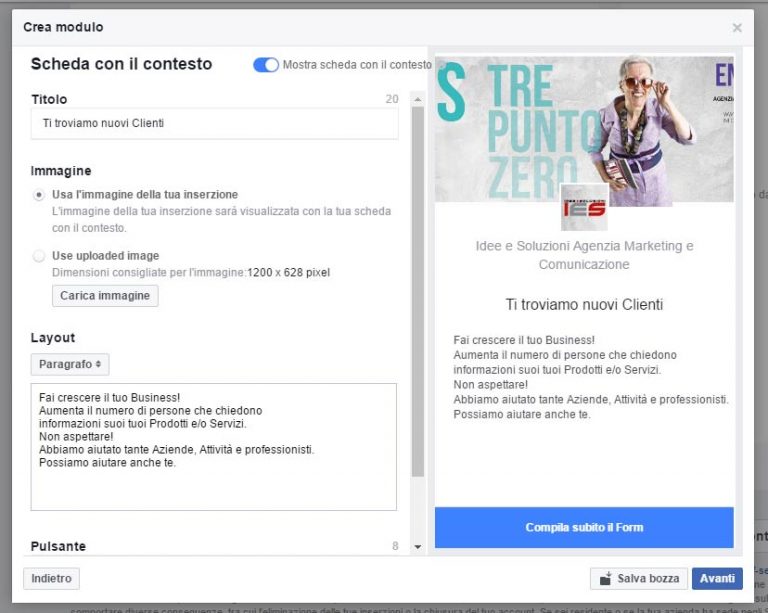
That is, once we create the campaign, where will the user land? What is he going to see? Exactly this tab so you will have to be extremely thorough.
Our example is purely illustrative.
But always remember to make people perceive the value of your Product and/or Service and not just the price aspect.
You are a great caterer, a good Architect, a 24/24 Mechanical Workshop, now is a good time to say so and make it known to our new possible Customer.
We need to convince him to leave us his data.
We are now at the end of the process. All we have to do is fill out the contact form referring to what was recommended earlier…
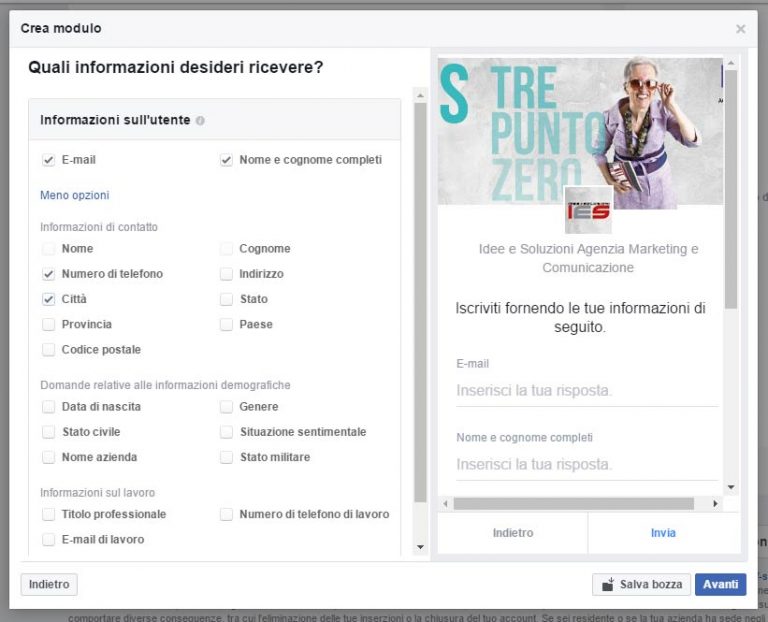
Choose what information you want to collect from your Leads.
Always remember that the more information, the greater the risk that the user will not fill out the Form.
Of course, it depends on how well known and appealing they are:
- Your Brand
- Your advertising campaign
- Your Products/Services
Generally, in addition to the name and email address, we recommend asking for phone numbers only. This will enable you to acquire a large number of new contacts while maintaining a good conversion rate.
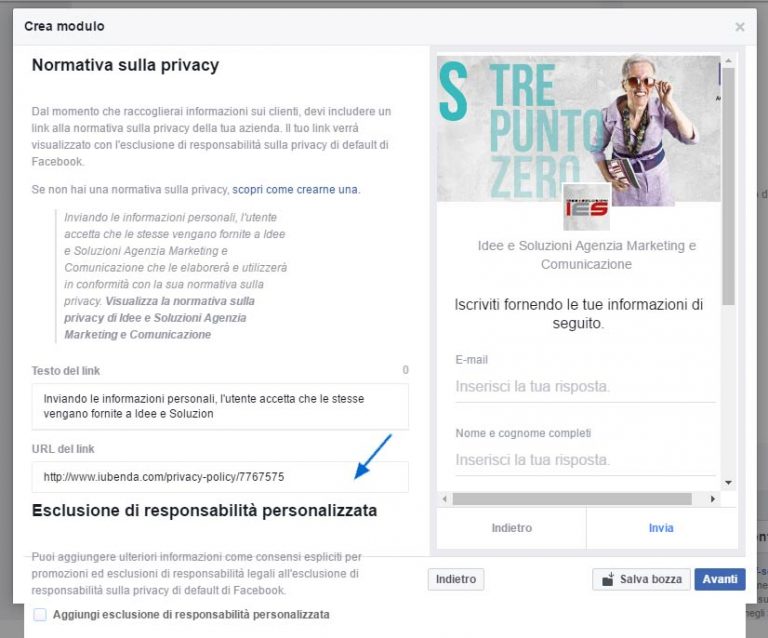
One of the last steps is to enter the Link to the Privacy form on your site, or alternatively, if you do not have a site, to enter that information directly.
Congratulations you have finished the setup of your first Contact form in Facebook.
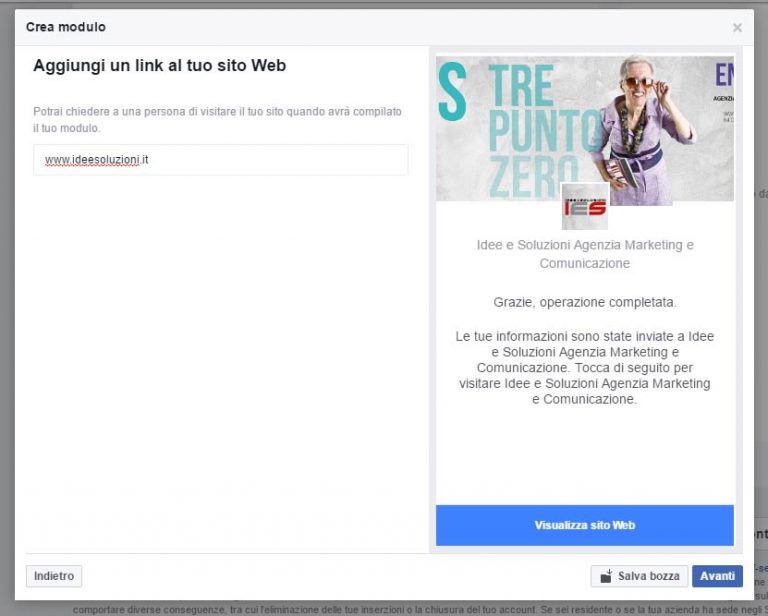
Now simply specify the link to a Web site, if any, and the job is done.
As you have been able to see in this article, the operations to be performed are really many.
It is clear that if the setup of the Campaign and related advertisements is not done in a clear, effective and persuasive manner very few leads will be collected.
They advise you to have an underlying consistency between the campaign setup, the information you enter in the insights sheet, and the data you want to collect.
Be as clear and direct as possible. Leave nothing to chance.
As always if you want we can carry out this activity.
We can help you significantly grow the number of your customers and leads (potential customers), sales and related margins.
Happy Campaign to all.
Want to learn more about Facebook? Don’t miss these articles: