


Google Destinations is a major innovation in Google’s smartphone search.
It is basically a real travel agency, which collects and unifies real mini-guides for travelers in an easy-to-access manner: all the news about a destination, with the possibility of planning dates, flights and hotel as well.
Google claims that over the past year, there has been a significant increase in requests for news about travel and destinations within the search engine, which is why it has decided to integrate this new and interesting Destinations feature.
Google Destinations is super easy to use and collects and organizes all the useful information about your chosen place on one screen, not only what to see but also airfare and hotel rates.
We also explain at the end of the article, why in our opinion, it is crucial for Restaurateurs and Hoteliers to take this new application into consideration.
How do you use Google Destinations?
Using it is super easy, just log into Google search and type in the continent or country of your choice, followed by the term “destinations.”
This will provide access to a wealth of detailed information.
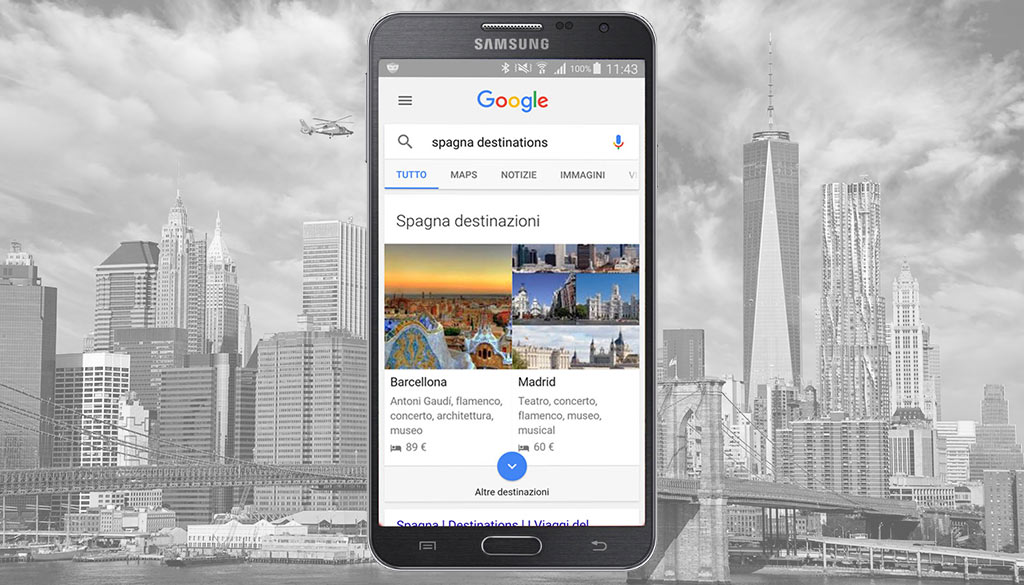
In this case we typed in: Spain Destinations.
As you can see in the image Google immediately offers us a screen with the main destinations and some basic information such as events and Reference Hotels.
You can already get to the tab by clicking on the image, or you can enhance your search.
To get more information simply click on the blue circle with the downward arrow.
In this case, since the system displays Key Words below the image we would have expected a result to be proposed immediately based on the search key, instead it is indifferent whether one clicks on the image, or on one of the key words in the text field.
The arrival screen is always the same, see next Destination screen.
Use filters to improve your search
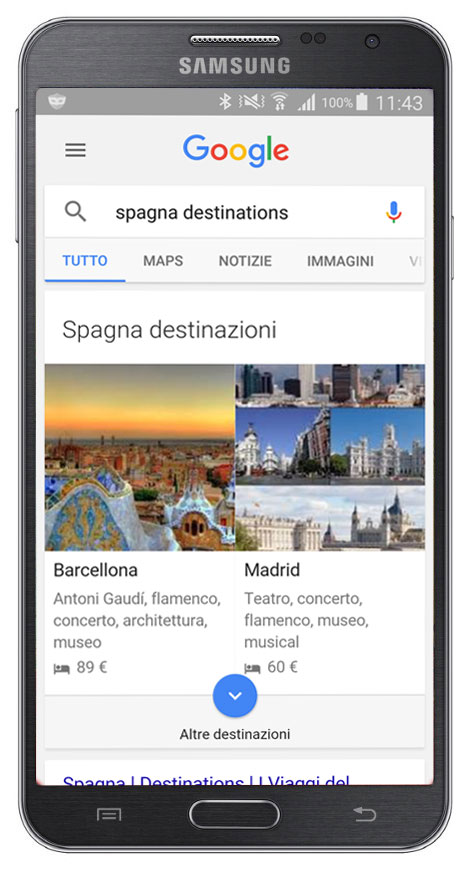
After pressing on the blue circle with the down arrow, a screen is accessed where the system offers the possibility of using filters.
To access the next panel of filters, simply click on the selector with the double arrow, the one you see indicated in the red circle.
Or you can already delve deeper into one of the destinations you think you are interested in by clicking on the relevant image and reference text.
The dates section
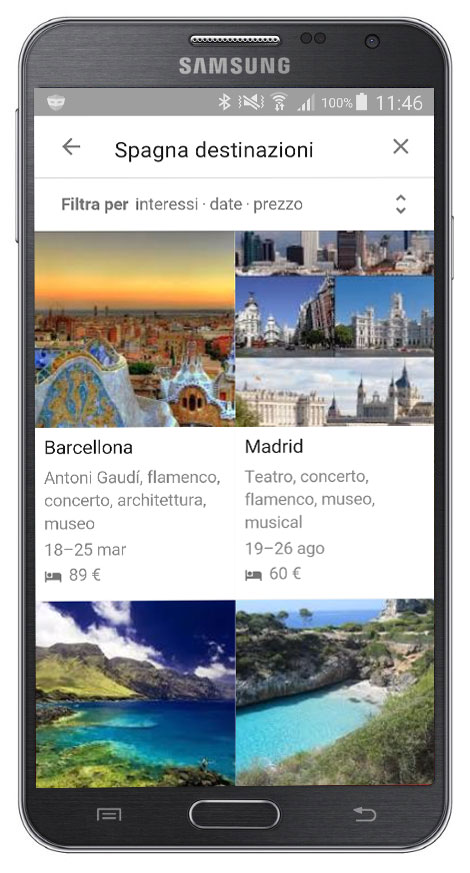
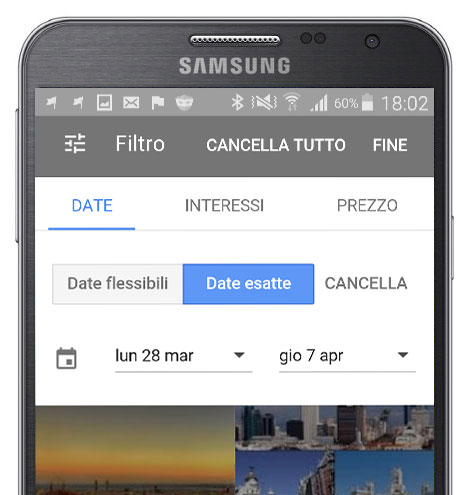
After pressing on the blue circle with the down arrow, a screen is accessed where the system in addition to destinations presents a decidedly basic menu.
Here the user can parameterize their search by: Date, Interest, Price.
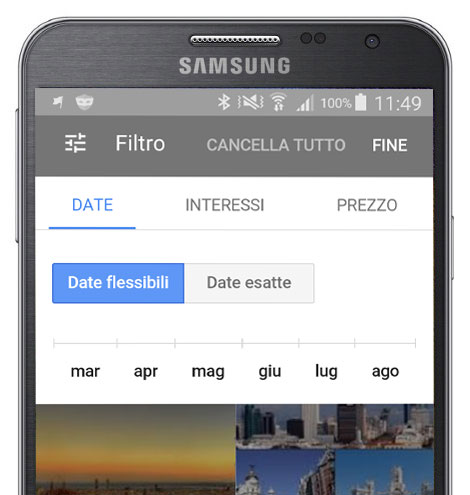
By default, the Date button is active, allowing you to plan your trip based on:
- Indicative dates: allows you to select the period by month.
- Precise dates: you can select dates by clicking in the boxes to specify departure and return dates. A calendar appears in this case, which greatly simplifies the operation.
I belong more to the first group since I don’t like to decide on trips too far in advance, so a search with fixed dates would be too constraining.
The interest section
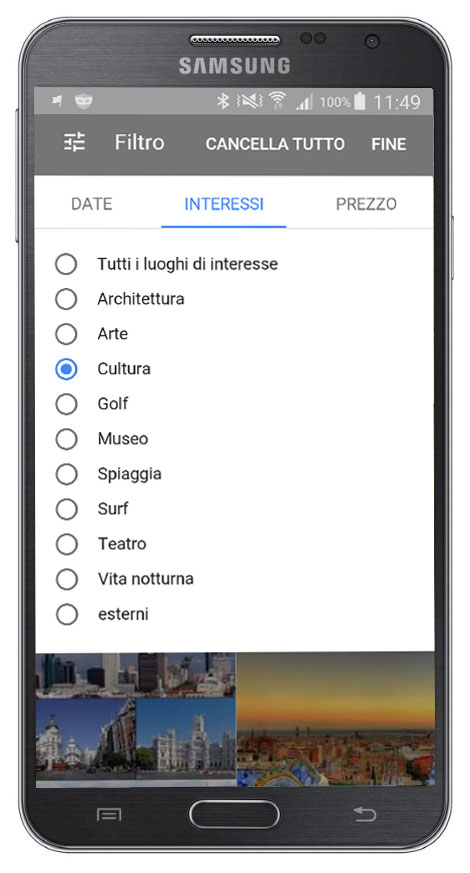
Like any good assistant, Google Destinations tries to provide as much information as possible to make your trip or vacation unique.
If you are a fan of Culture, Art, Architecture, or are in the mood for a lot of relaxation or nightlife, the next screen is the one that allows you to select the destination according to your tastes.
The Price section
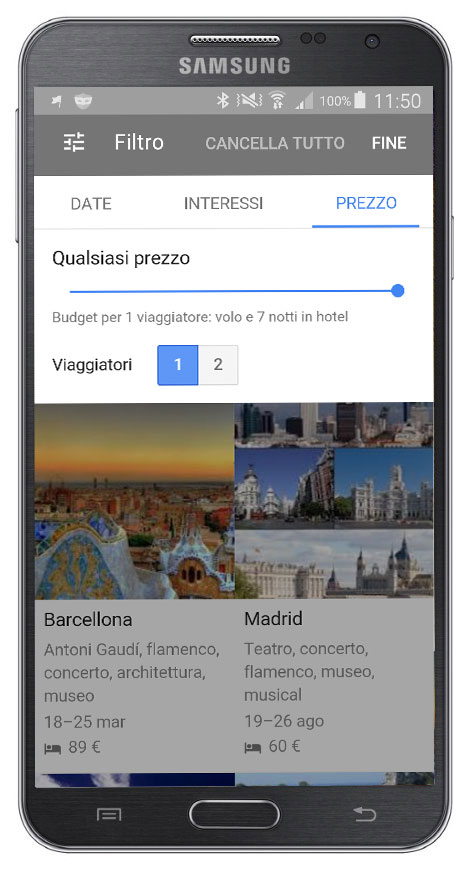
This is a really interesting, intuitive and interactive section. As a first thing you can select the number of travelers. The curious thing is that currently they have provided for a maximum of only 2 participants.
Perhaps Google does not want to explicitly compete with travel companies, but it is clearly a significant limitation.
If you do not specify the budget, the different results are presented.
If you want you can also specify the Budget
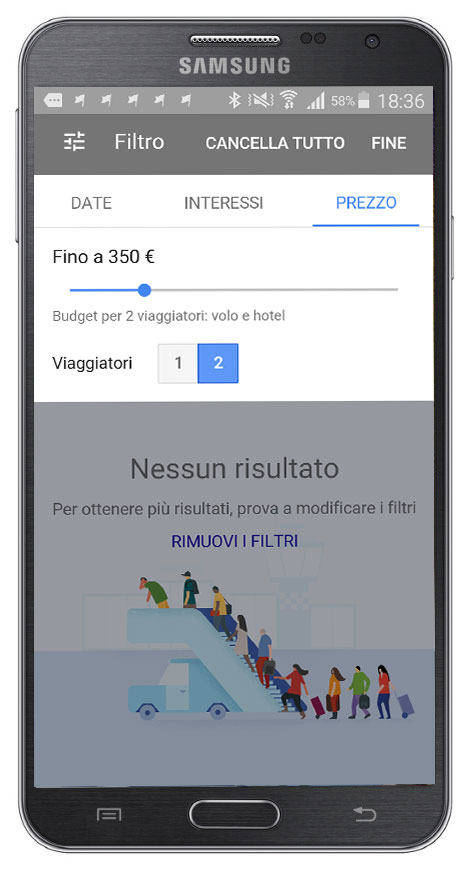
Simply click on the little button on the horizontal bar and drag it to the left.
The reference figure appears.
Based on the given Budget Google Destination displays the Destinations.
In case the budget turns out to be too small–the window you see shown here appears.
Destination screen
It is certainly much more laborious to describe the service than to use it. In fact, thanks to just a few clicks, you can get right to the selection of desired destinations.
And in this case the card is really rich in information.
It starts with a description of the destination city, followed by a roundup of characteristic and tourist places.
The next section presents information about flights, hotels that have obviously been selected according to the given Budget, and typical restaurants.
In this case, clicking on the word restaurants takes you to the section of Google Maps with all locations displayed.
Continuing in the main tab, the Google Maps section certainly could not be missed, but in this case it is bare.
We would have expected to see all points of interest, Hotels and Restaurants in one screen.
The sheet concludes with a presentation of additional places of interest.
Why we recommend you keep an eye on Google Destination
Certainly it is still a young application, needing further development and additions, but already this first version, I dare to call it remarkable.
Restaurateurs, Hoteliers, Tourism Office Managers, Communication Agencies… this new application definitely involves everyone and it is easy to see why.
If your Hotel is optimally positioned on the Google Serp, or if there are active Adwords campaigns that enhance its visibility, it is definitely a goal. Your Hotel’s Tab will be displayed in Google Destination.
Imagine how many searches you can be featured in. Surely Google Destination will be hard for Booking applications like Trivago, TripAdvisor etc. to digest.
Are you interested in staying up-to-date on the different services offered by Google? Also read these articles
- Creating a tourism portal: launch your digital business
- Google Domains: a guide for Entrepreneurs and Marketers
- Google PhotoSphere: get your Company off the ground.
- Google update 2024: how can they affect your website?
- What impact can Google Multisearch have on your Business?
- Google Data Gif Maker creates animated graphics
- Google SGE: if you have a site you need to know what it is!
- Google Discover: what’s new from Big G
- Google EEAT (E-E-A-T) What they are and why they are critical for SEO