


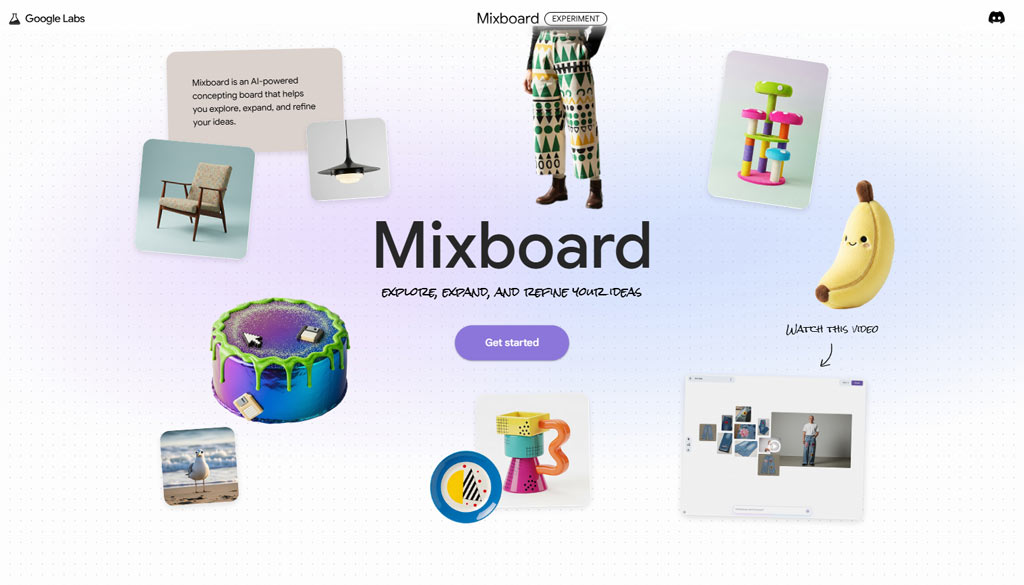
Artificial intelligence is revolutionizing the way we work, communicate and create. The latest innovation in this field comes from Google Labs, which recently launched Mixboard, an innovative tool designed for visual brainstorming and moodboard creation.
Available in public beta (currently only in the United States), Mixboard promises to become an indispensable ally for entrepreneurs and professionals who want to simplify and streamline creative processes.
In this article, we will explore the features of Mixboard, how it works, and how it can be used to improve business productivity.
What is google mixboard and how it works
Google Mixboard is a new tool launched by Google Labs designed to facilitate moodboard creation and creative development through the use ofartificial intelligence.
Designed for those working in design, marketing or creative-related fields, Mixboard offers a virtual blank canvas where you can explore design ideas and combine visual elements.
But what really makes Mixboard special? One of its distinguishing features is the ability to use a text prompt to generate visual content.
For example, simply provide a text description such as “show me Memphis-style mugs and plates” or “decorate a room in an industrial style,” and Mixboard will take care of creating images consistent with the requested theme.
Mixboard includes a wide range of functions that allow users to:
- Uploading existing images.
- Generate new visual content based on a specific style.
- Combine different elements using the mix and match technique, which is useful for creating customized moodboards.
Google Mixboard could soon become a serious competitor to Pinterest, thanks to its ability to generate personalized visual content via artificial intelligence and combine images creatively, simplifying visual brainstorming and moodboard creation.
Why google mixboard is an opportunity for entrepreneurs
Entrepreneurs, especially those in the creative or marketing fields, can benefit tremendously from using Google Mixboard. Here are some reasons why:
- Simplifies visual brainstorming
Traditionally, creating a moodboard required hours of research, image cropping and manual organization. With Mixboard, this becomes faster thanks to the support ofartificial intelligence, which allows images and designs to be generated with a simple text command. - Streamline the creative process
Mixboard does more than just produce images-it is a true custom image generator that allows you to experiment and optimize ideas before moving on to the operational phase. This means less wasted time and greater efficiency. - Suitable for a variety of industries
Whether you’re designing the decor of a store, organizing a corporate event or working on the graphics for an advertising campaign, Mixboard offers flexible tools to fit any need.
Key mixboard features
Mixboard includes a number of features that make it unique compared to other visual brainstorming tools on the market, such as FigJam or Firefly Boards.
- Creation by text prompt: You can generate images or designs simply by describing them in words. For example, a business owner who wants to visualize minimalist office furniture can get a detailed preview in seconds.
- Editing already uploaded images: in addition to creating new content, Mixboard allows you to upload existing images and edit them to suit your needs, combining them with other visual elements.
- Automatic regeneration: if you are not satisfied with the result, you can use the automatic regeneration option to get visual alternatives with one click.
- Mix and match visual elements: Mixboard allows you to combine various elements, creating moodboards that perfectly reflect your creative vision.
Mixboard vs. other brainstorming tools
Although the concept of a virtual whiteboard for brainstorming is not new, Google labs Mixboard ‘sartificial intelligence makes it a step ahead of other platforms. Tools such as FigJam or Firefly Boards offer interesting features, but often require more manual work.
With Mixboard, however, the user can let the AI take care of the more complex part, saving time and achieving more accurate results.
In addition, the ability to use pre-loaded images or to start from a text prompt significantly increases the flexibility of the tool.
How to get started with Google Mixboard
At the moment, Mixboard is available in public beta only in the United States. However, for those interested, you can visit the official Google Labs website to find out more details and keep up to date with the news.
Despite its limited availability, the launch of Mixboard is a clear indication of Google’s commitment to developing innovative tools to support creativity and design.
With features such as a text prompt, mix and match of elements, and the option to edit already uploaded images, Mixboard stands out as a true custom image generator.
If you are an entrepreneur interested in embracing the latest technological innovations, keep an eye on Google Mixboard-it may be the perfect partner to take your creativity to the next level.
Other articles you might be interested in: