


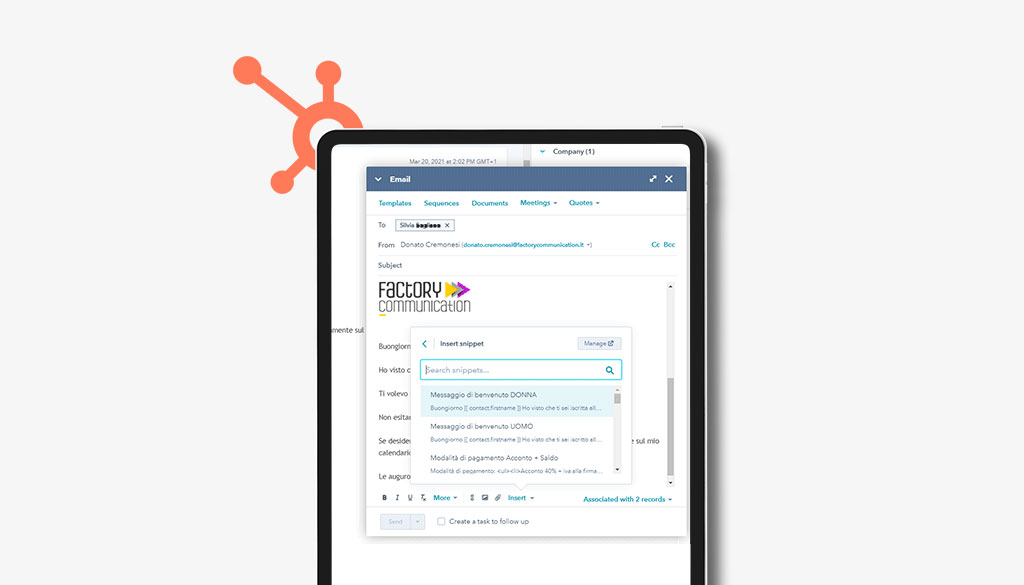
I this article we explain what HubSpot snippets are and why they speed up and simplify everyday work.
If you are a HubSpot user you probably already know about this great feature.
If, on the other hand, you are deciding which CRM (Customer Relationship Management) to use for your company, you will certainly find this simple but effective feature of HubSpot very useful.
Now let’s look in detail at the use of snippet shortcuts.
We can define HubSpot’s Snippets as a container of more or less complex, ready-to-use sentences.
For example, I have created several snippets that help me speed up my daily work. I mention just a few of them as examples.
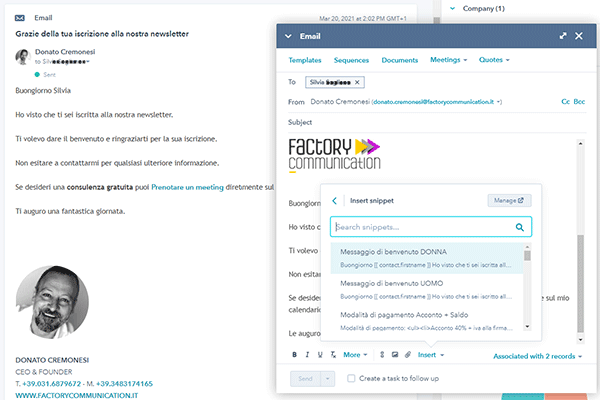
Welcome message to people who sign up for the newsletter
I am not referring to the follow-up email that automatically starts from HubSpot after the user fills out the information request form.
I like to send a personalized welcome message for each individual user, which includes, in addition to my contact information, a link to my personal calendar managed in HubSpot.
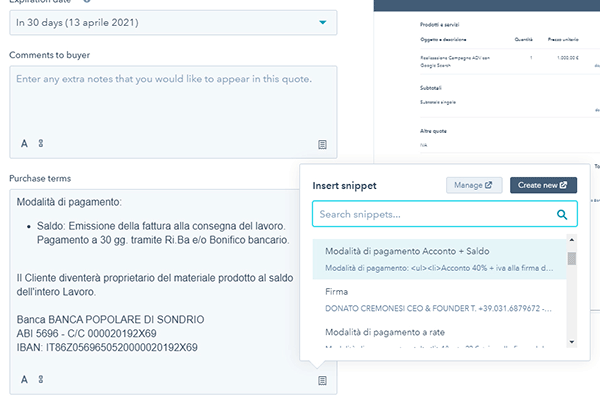
Management of payment methods in quotes
HubSpot snippets can be used in any section of the platform.
We then pre-set the different payment methods to be used in the “Quote” (Quotations) module of HubSpot.
In this way everything becomes simple, fast and accurate.
Management of notes and tasks
Thanks to notes, in Hubspot, it is possible to keep track of various information and notes, both referring to individuals and Companies.
Tasks are a very useful tool for planning one’s activities: To do lists (things to do), Emails, Phone calls. It will be Hubspot’s job to remind us what we need to do, when and for whom.
Thanks to snippets, we can make these two excellent tools even more powerful and interactive.
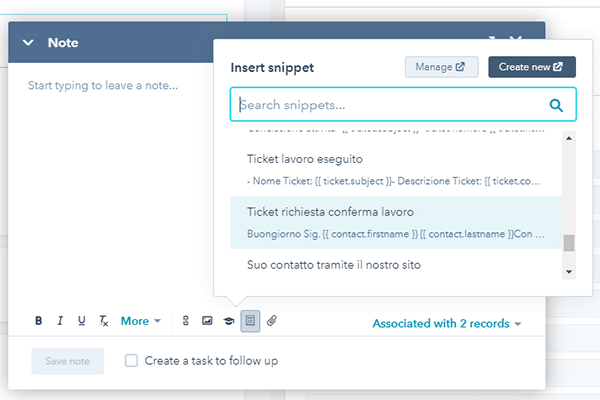
Ticket Management
In HubSpot you can also create and manage Tickets. We at Factory Communication have provided some snippets to streamline the repetitive tasks related to managing and responding to Customer and/or Supplier Tickets.
CRM HubSpot snippets: how to create and customize them
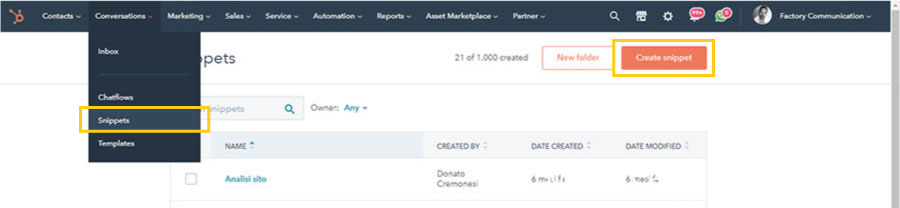
Find the Snippets in the “Conversations” item Present in the main menu (yellow box on the left).
Click Create snippets (yellow box in the upper right corner).
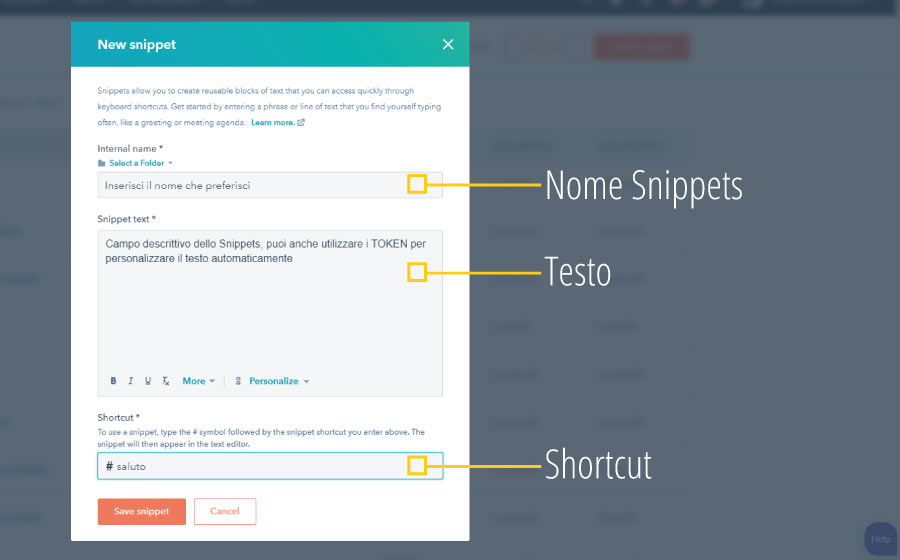
The configuration window will open where you can find 3 main fields:
- Name: This is the name you will find yourself in the list of snippets when entering content. If you decide to create several snippets I recommend that you be extremely clear with the name.
- Description: In this space enter as much text as you want
- Shortcut: short text that identifies the snippet. If you are a geek, you can call it up directly from the keyboard
HubSpot snippets conclusions
Factory Communication is a Hubspot Agency in Italy, book HubSpot Consulting for your Company.
For quick contact, write to info@factorycommunication.it
If your goal is to understand how best to use HubSpot in your Company, you can inquire about one of our HubSpot courses.
Are you about to launch your startup in the market? Take advantage of the special promotion that provides super-discounted Hubspot prices for startups.
If you want to find out how HubSpot in Italian can improve your company’s business you can book a free consultation with our HubSpot consultant.
Did you find this article on HubSpot interesting?
You can explore further by reading these articles.