


In this article we look at what Google snippets are and how they can be useful to the growth of your Business.
If you are reading this article you have probably typed one of these keywords into Google:
- rich snippets
- what is a snippet
- structured snippets
- snippet google what is
If, like yours truly, you often use Google to find useful information, you may have noticed that the SERP (the list of answers to your search) has changed several times.
Initially it was a list of results that led to the respective sites. Today on the SERP we find so many immediate answers, i.e., that need no further explanation.
These responses are called “zero-click results” or.
Zero-click results have definitely changed the dynamics for users who find many answers right away.
Unfortunately, they have complicated the lives of SEO Specialists who, like us, are in the business of ranking sites and e-commerce on search engines.
What are Google’s goals?
Before going into the technical explanation, it is important to analyze Google’s goals and how it achieves them:
- Main goal: to make money
- To make money, users need to use Google’s services
- One of the services that generates the most revenue is sponsored ads on the SERP
- So Google’s goal is for more users to click on these ads
- To achieve this goal, Google needs to be sure of 2 factors: having more and more users and that users spend as much time on the SERP
- To make sure that it always has lots of users (1st factor), Google must ensure that the results of searches made are useful, clear and relevant. Otherwise, users will move on to another search engine. So zero-click content comes into play.
- Thanks to zero-click content, users stay on the SERP and in this way Google achieved the 2nd factor.
In some respects, every Company might consider zero-click content competitors to its business.
Thus, we can say that despite the increase in overall search traffic, including outbound, Google has continued to work tirelessly to capture and own an increasing share of it.
It has been actively working on multiple measures to ensure that an increasing percentage of user queries never leave Google or a Google service.
What are Google snippets
You may be wondering: what are rich snippets?
Snippets are the visual representation of “structured data” contained in a page published on the Web.
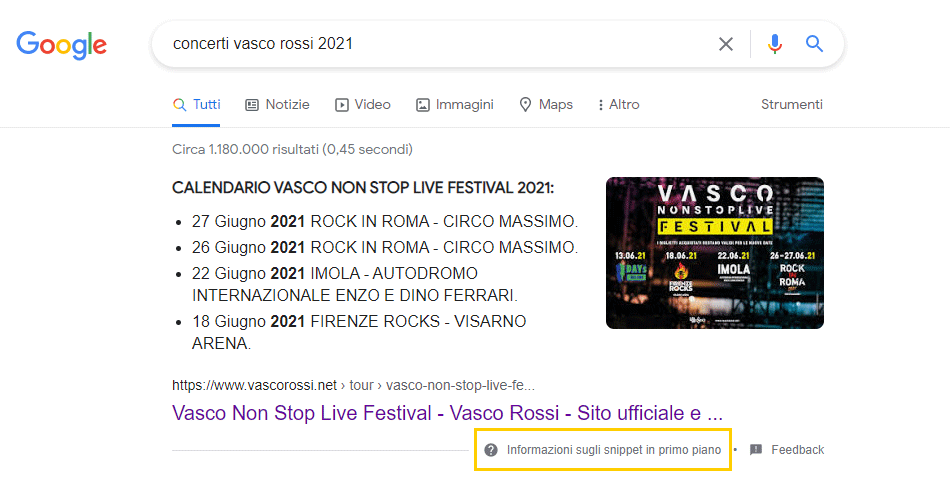
In Google Search Central, there is a special section in the developer’s guide: Checking snippets in search results
Thanks to the integration of www.schema.org Google can integrate on the SERP the search results of our website with additional information named rich snippets.
Google uses several sources to automatically determine the appropriate snippet, such as the meta description tag on each page or information based on the markup and content of the page.
Until recently, what we could do to best optimize the information that could be displayed in search engine SERPs was “title” + “link” + “description” related the content of our page.
Their purpose is to highlight and preview the page content most relevant to the user’s specific search.
This means that a search performed on Google, might show different snippets based on the terms used to perform the search.
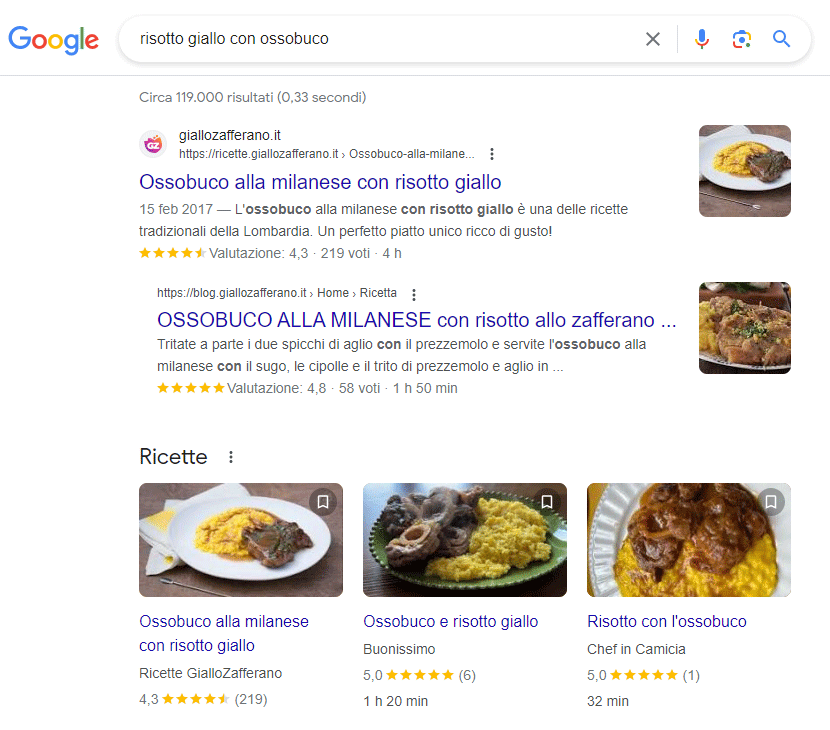
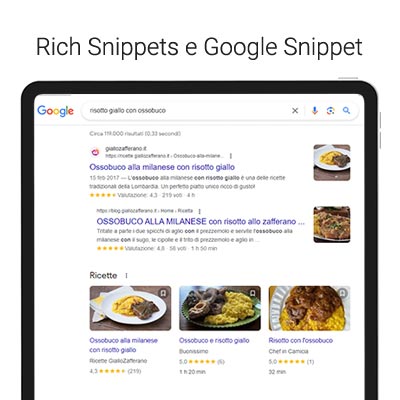
With the introduction of Rich Snippets we have the opportunity to provide the user with much more detailed information, such as: photos, ratings, reviews and much more.
This particular activity is called data markup.
All of this improves what is referred to in the jargon as User Experience by allowing, the user, to immediately understand what a particular page is about.
We gain two particular benefits:
- Visits not in line with the content, which would unnecessarily burden the bounce rate (abandonment rate)
- You increase visits that reflect real user interest by improving the CTR click through rate.
It is important to use data markup because, as Google builds an increasingly semantic Web, these markups become increasingly valuable in ensuring effective communication on the Internet.
Basically, the more information we offer our user directly on the search engine (organic search results), the more likely they are to decide to click on our content.
Google snippets: Why they are called zero-click results
Zero-click results, also known as “zero Google results,” “zero Google position,” or featured snippets, are a type of search result that appears at the top of the Google results page and does not link to a site outside the search engine.
This type of result is displayed in a special box, called a featured snippet, and provides a direct answer to the user’s question without the need to click on a link to get more information.
Google’s position zero is therefore the first result that appears on the search results page, positioned above the organic results.
This type of position is highly coveted by advertisers and website operators, as it offers increased visibility and can lead to increased traffic to their website or web page.
Featured snippets are short text excerpts that are displayed in the zero results pane.
These snippets are designed to provide a concise and direct answer to the user’s question, often accompanied by an image or other visual element.
Featured snippets can contain information such as definitions, instructions, opening hours, reviews, and more.
These are search results in which the answer requires an exact value, such as calculations, value and currency conversions, date or time. For queries of this type, Google presents the user with a unique entry, occupied by what are called zero results.
How many types of Google Rich Snippets are there?
There are several types of rich snippets featured on Google. Some of the most common ones include:
- Definition snippets: These snippets provide a concise definition of a specific term or concept. They are often accompanied by an image or other visual elements.
- Instructional snippets: These snippets provide step-by-step instructions on how to do something. They can be useful for practice guides or tutorials.
- Business Hours Snippets: These snippets show the opening hours of a business or activity. They are especially useful for restaurants, stores, and other places that have specific hours.
- Review snippets: These snippets show user reviews of a company, product, or service. They can include ratings, comments, and other relevant information.
- Recipe snippets: These snippets provide detailed instructions on how to prepare a specific recipe. They may include ingredients, cooking times, and other useful information.
These are just some of the types of featured snippets you can find on the first page on Google. It is important to note that Google continues to develop and update its search algorithms, so there may be other types of featured snippets that may be introduced in the future.
Why is it important to appear in a Google Snippets or zero-click result?
The benefits of having your content displayed in a featured snippet are many. First, a featured snippet increases your website’s visibility because it is placed at the top of the search results page.
This can lead to increased traffic to your website and increased awareness of your brand.
In addition, featured snippets offer a direct and immediate answer to the user’s question, without the need to click on a link. This can increase user confidence in your website and your authority in the field.
Snippet example
Because Big G believes it can answer the question asked with certainty, it will no longer show other results in SERPs.
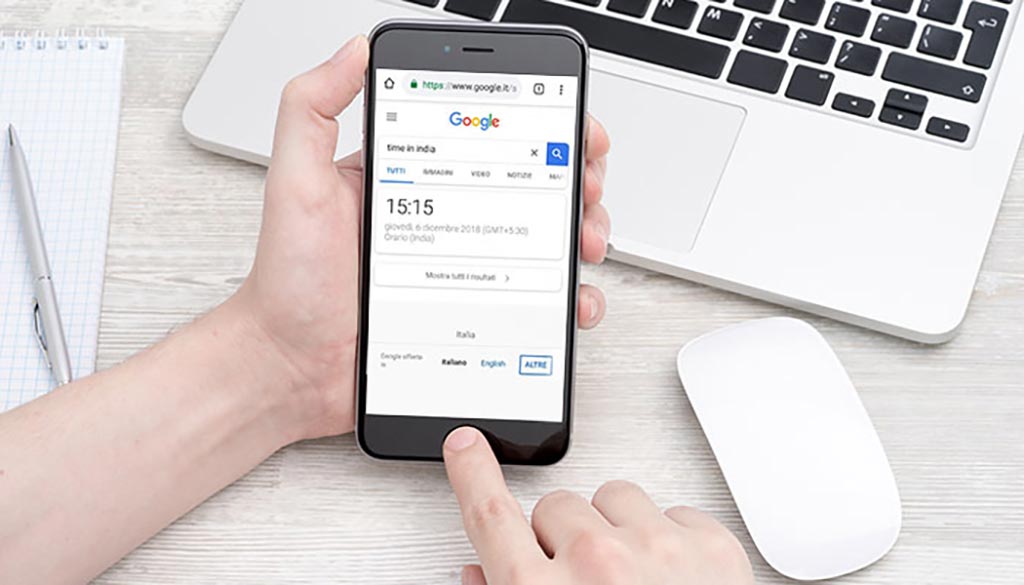
An example might be a request for information about the time in a particular country, as you can see in this image.
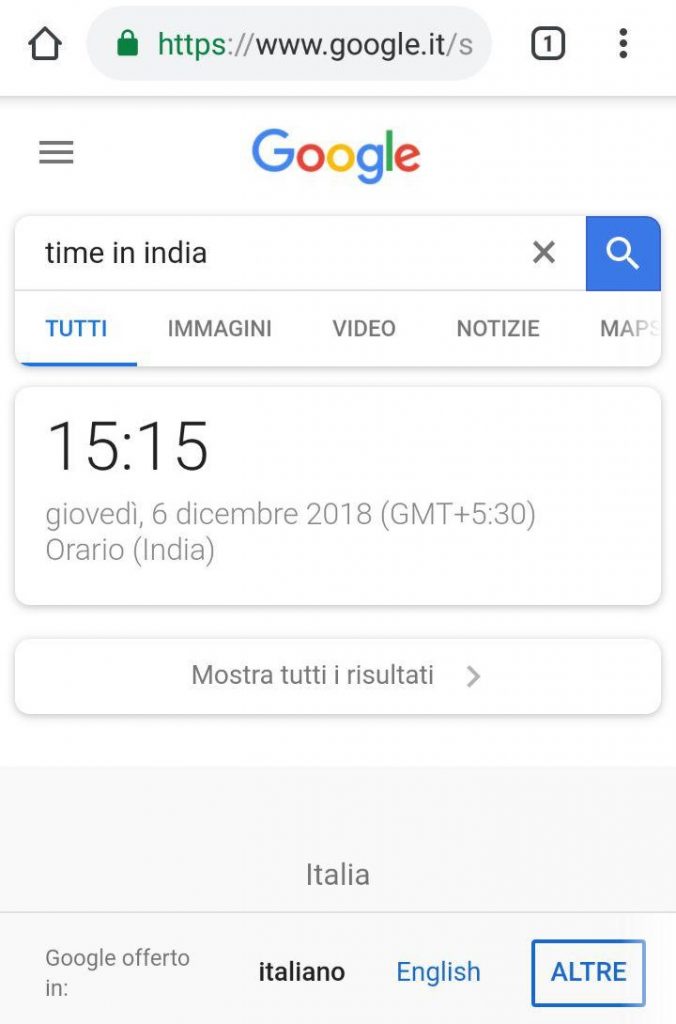
Besides providing the exact time in India at the time of the search, Google returns no additional results for the user to view.
Of course, should the person be interested in obtaining additional information, he or she could click on “Show all results” to view the full SERP.
If we search for “euro dollar conversion,” however, we get a different result.
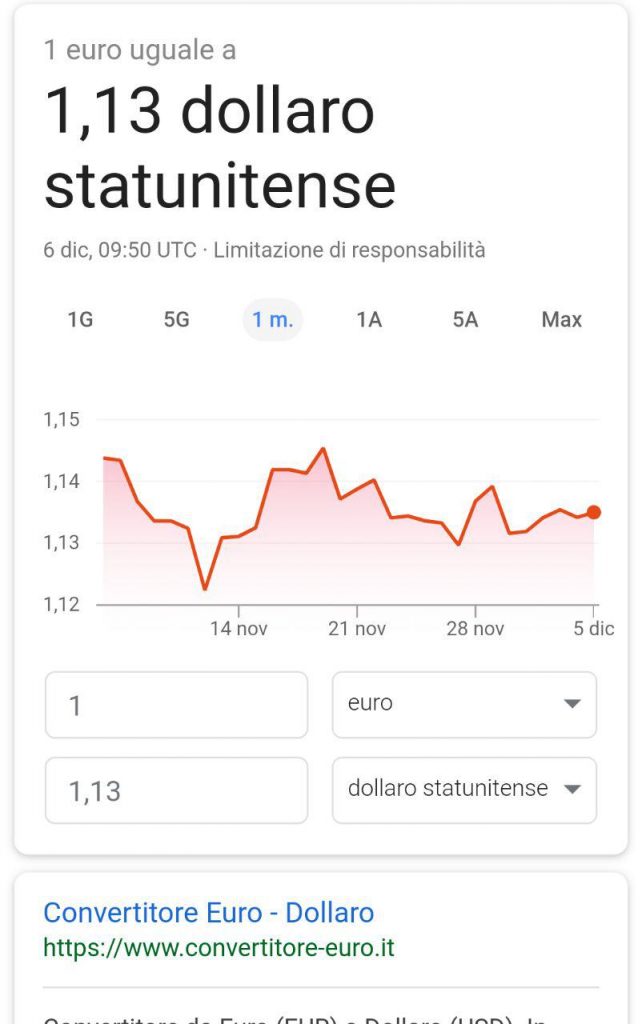
Because Google cannot pinpoint the exact search intent, it shows the zero result and the SERP, so the user can search for exactly what he or she needs.
In fact, with the query “euro dollar conversion” we could yes search for what 1.00 euro amounts to in U.S. dollars, but we could have searched for the value in Canadian dollars or even an online converter for more complex operations.
The same applies to mathematical operations and conversions from one unit to another.
Typing, for example, 2+9 or other numbers on the search bar returns only zero results complete with a calculator to do other operations.
Google snippets what should we do?
To make a website’s content appear in a featured snippet on Google, there are some best practices you can follow:
- Provide high-quality content: Make sure your content is informative, accurate and relevant to the user’s question. Google tends to select featured snippets from pages with high-quality content.
- Use clear structure: Organize your content logically, using well-structured headings, subheadings and paragraphs. This helps Google better understand your content and select the most relevant information for the featured snippet.
- Answer users’ questions: Identify common user questions related to your industry or topic and provide clear, concise answers in your content. Google tends to select featured snippets that provide direct answers to users’ questions.
- Use structured data: Implement structured data in your website using Schema.org markup. This helps Google better understand your content and show additional information in the featured snippet, such as ratings, opening hours or recipes.
- Optimize meta tags: Make sure your meta tags, such as the page title and description, are relevant to the user’s question and include relevant keywords. This can increase your chances of appearing in the featured snippet.
- Use images and videos: If appropriate, include images and videos in your content. These visual elements can make your featured snippet more appealing and engaging to users.
Remember that there is no guarantee that your content will appear as a featured snippet on Google, but following these best practices can increase your chances of gaining greater visibility and providing direct answers to users.
Snippets: how to prevent their display or adjust their length
As we saw earlier Snippets are very useful for increasing traffic to our website.
If you do not want some information to be published on the search engine, you can use appropriate code strings:
- “nosnippet” meta tag: tells Google NOT to show a snippet related to your page in search results
- metatag “meta max-snippet:[number]” allows you to tell Google the maximum length of the snippet
- data-nosnippet attribute: to prevent certain parts of the page from being shown in a snippet of Google search results
What will change in the SERP?
Analyzing it carefully, it is impossible not to notice that this measure will lead to important consequences, especially towards those who have invested heavily on SEO to ensure certain visits. Google’s zero results, at least for specific queries, will take away a lot of traffic to those who have positioned themselves with certain keywords related to dates, calculations, conversions and more.
In any case, it is important to wait for the test to become final so that we can understand what the real repercussions will be in SERPs with data and numbers in hand.
Rich Snippet and Data Markup: some FAQs
Literally snippet means snippet or snippet. The better the snippet, the greater the opportunities for a user to click through to further search.
This is why Google snippets are constantly evolving.
Structured data is standardized information found on a page and allows its content to be classified. For example, a concert page will have as information: Artist’s name, concert date, venue and ticket price. On a recipe page, the featured information is: ingredients, cooking time, temperature, calories, and so on.
There are currently as many as 32 Schema.org markups recognized by Google.
Each responds to certain types of content.
Depending on the markup you use for your structured data, Google prepares a more detailed preview to serve to your users.
We tell you about them all:
Article – Book – Breadcrumbs – Carousel – Course – Dataset – Educational questions and answers – Employer Aggregate Rating – Estimated Salary – Event – Fact check – Frequently asked questions – Activities to do at home – Instructions – Image metadata – JobPosting – Instructional video – Local activity – Logo – Math solvers – Movie – Exercise – Product – Questions and answers – Recipe – Review snippet – Sitelink search box – Software app – Speakable – Subscription and Paywall-protected content – Video.
Want to learn more about Google’s news? Don’t miss the following articles: