


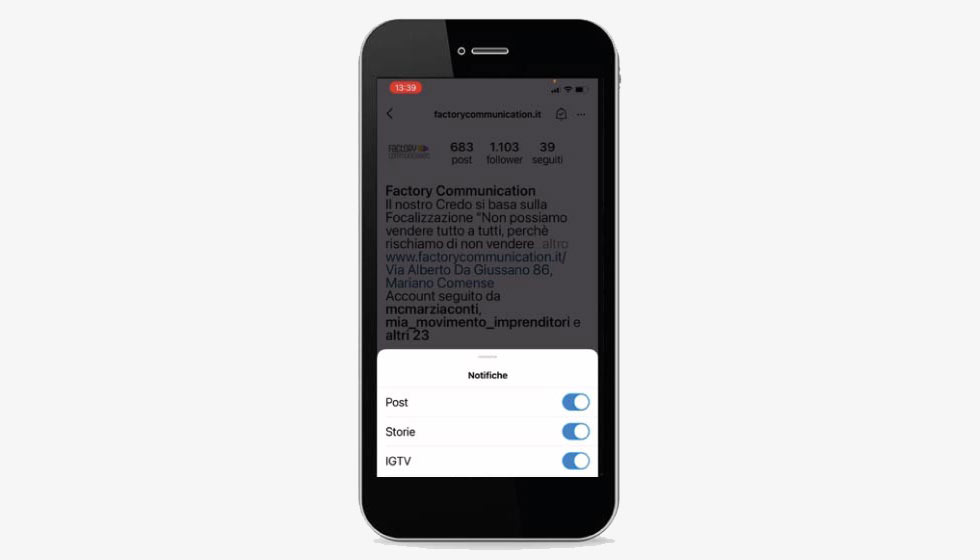
In this article we find out together how to enable posting notifications on Instagram.
For the past few days Instagram has enabled the ability to receive a notification when an account publishes a post, video or story.
A much-awaited feature that allows all users who follow your Instagram channel, to stay constantly updated on all your news.
Currently, this option is only enabled on all Instagram Business profiles.
This fantastic innovation is based first and foremost on the value of the content that is posted on your profile. A concept at the heart of a strategy defined Inbound Marketing.
That is.
If the content you publish is not of value or is not perceived as such by the user, the user is unlikely to decide to subscribe to your notifications.
If, on the other hand, you post content that is useful, interesting and entertaining, and that arouses interest and curiosity, most likely the same user will spontaneously decide to subscribe to your notifications.
Let us give some practical examples:
Are you a cook who publishes many interesting and easy-to-make recipes every day in a fun way???
Certainly enabling notifications will be a winning element in increasing the number of people who come to see your content.
Your followers can easily see your recipes and will be more incentivized to interact.
How? Leaving a comment, for example, or a like and, in doing so, they will automatically increase what in markettarian terms is called engagement.
Watch the video to find out how to turn on notifications on Instagram.
Want to find out more Instagram trivia?
Don’t miss these articles:
- What is a Giveaway?
- Instagram responds to TikTok with the same coin. Who will win?
- 10 things to know if you want to use Instagram in your strategy
- 18 sites where you can find free photos
- How to share a story on Instagram
- Instagram countdown for your business: 4 ideas to inspire you
- Instagram hides post likes. Why?
- Social Media Audit for Companies