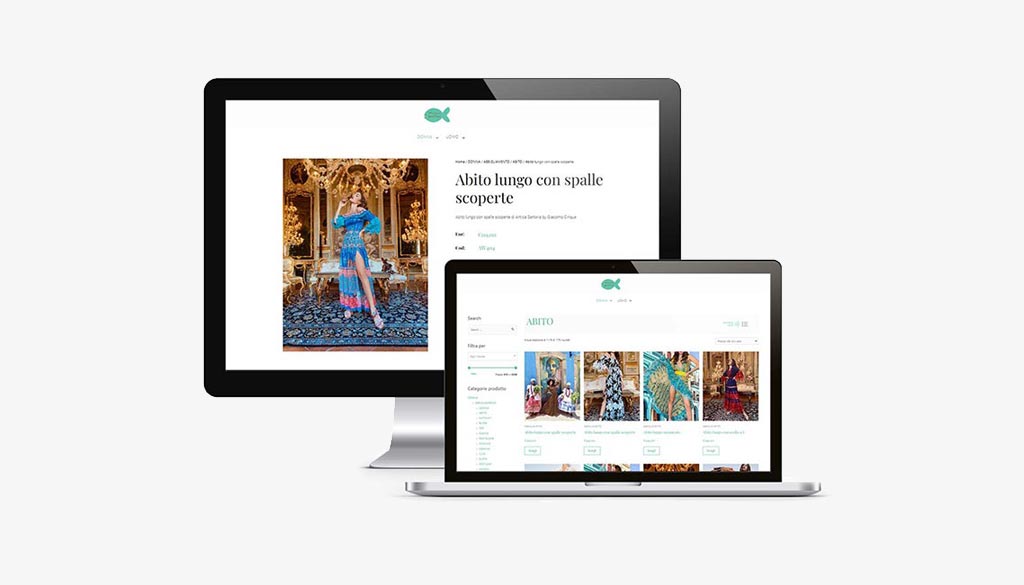
If you want to open a high-performing and well-indexed eCommerce store, the elements you need to consider are the ones you don’t see: analysis, User Experience design, SEO Strategy.
Today, the most effective and efficient solution is to equip your company with an e-commerce (online store) that operates 24 hours a day, 365 days a year.
Factory Communication enables you to open a professional e commerce business that can win you over in your target market.
Factory Communication is an Agency that deals with Marketing and CommunicationStrategies and SEO positioning in the Market.
If you are reading this article you probably typed one of these keywords into Google:
- open an e commerce is worthwhile
- open an e commerce site
- open a successful ecommerce
- open an e commerce site costs
- e commerce business open
We build e-commerce sites that provide the best shopping experience for the user.
They communicate your brand’s true identity through the integration of Marketing Automation strategies built with HubSpot.
The company that brought the concept of sales funnel and sales pipeline to the world.
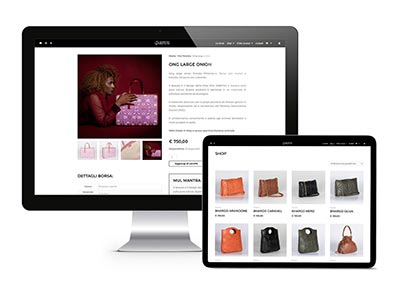
Opening e-commerce website: give solidity to your Business, thanks to online sales
Regardless of the size of your company, your target market (local, national or international), your more or less structured business network, etc., the following factors can be taken into account.
Unfortunately, one fact remains: it is impossible to be present everywhere.
With the Internet, however, it is.
With your new e-commerce, you can expand your target market. Operate without time limits and without constraints. Integrate and expand the activities of your business network.

Do you want to increase sales? Implement a CRM in your workflow
With seamless integration and synchronization between HubSpot and your E-commerce, you can analyze and understand the needs of your customers and potential customers.
You can also significantly increase sales by implementing Inbound Marketing strategies.
Thanks to Marketing Automation, you can manage users’ cart abandonment in real time. In this way you can greatly increase the conversion rate, i.e. sales of your online store.
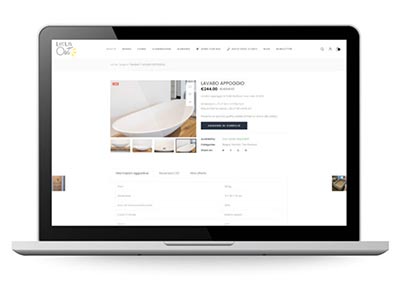
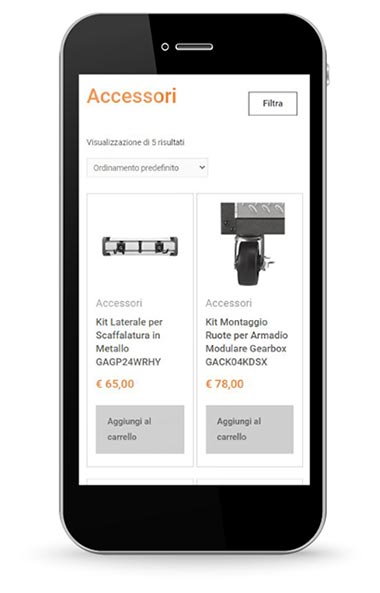
Open e-commerce website usable on any device
Today, browsing in some areas is done mainly through smartphones.
Before the implementation of your new e-commerce, it is important to analyze where your traffic is coming from.
Verify which devices searches are conducted with. At Factory Communication, we create e-commerce using Responsive technology.
Responsive technology allows all content to be enjoyed properly, regardless of the device used: Personal Computer, Tablet, or smartphone.
And now let’s look at some basic points for opening an eCommerce business.
Open an e-commerce what it takes: 12 Key Points!
Step 1. The e-commerce site is the end point of all Marketing, Communication and Sales activities
Being present on search engines, and being there with the most profitable positioning, is the goal that all companies want to achieve. To have a presence on the Web, Social Channels alone are not enough.
N.B. the pages we open on Social Channels, unlike an e-commerce site, are not our property. At any time and for a variety of reasons, they could be closed, which would be very damaging to your Company.
Your e-commerce remains the fundamental element, the landing point, of all Marketing, Communication and Commercial strategies of the Company. Regardless of its size.
If you are an Entrepreneur, or a freelancer and have reached this point on the page, you are probably considering whether and how to open an online store.
- How much should I invest?
- Which business model is best to set up?
- How long does the update take?
- What results can I achieve?
- What are the operating costs?
- Should I also implement an email marketing strategy to update users?
These are just some of the legitimate questions we are asked when we are asked to set up a new online store.
Step 2. Why should Google index your e-commerce?
Before analyzing the various technicalities of how and why to open an e-commerce, it is essential to keep in mind that search engines, do what they do, to bill.
Google’s biggest revenues come, still, from its own search engine, through sponsored ads. The famous ADS Campaigns.
To maintain this status, Google must ensure that every search made by users generates the “best” answer.
Otherwise, users, will no longer use the search engine.
So Google’s prerogative is to show the best content, the content with clear, up-to-date, useful information for users.
That is why, on this site, you will find recurring the expression “the right content, at the right time, to the right person.” That underlies the strategy that goes by the name of Inbound Marketing.
Making this content requires no small amount of effort from companies, especially when we are talking about an e-commerce.
We have addressed this topic dozens of times.
- How to make content for an online store that contains hundreds of products similar to each other?
- Can I differentiate them and position them correctly on the web?
- How to implement an SEO strategy that brings results?
- Is the SEO of a Product the same as the SEO of a page, or an article, or a blog?
Making an e-commerce and positioning it properly on search engines, is time-consuming and extremely complex work.
The question that arises is: If you don’t think it’s important to invest in your e-commerce, why should Google do it, making your products and services visible on the web?
Item 3. Online store optimization, easy navigation and Usability
And now we present some technicalities and information that we need to take into consideration in the design stages of an e-commerce.
3.1 E-commerce optimization
The code with which the online store was developed, must allow proper indexing by search engines.
WordPress and WooCommerce, in this respect, are one of the best solutions on the Market.
If we do not use the right technology, we risk that the products we publish on our e-commerce will not be indexed properly by search engines.
3.2 Easy navigation and usability
It is achieved through proper setting:
- Of the navigation tree, based on the interests of the potential target audience
- Of the link building strategy within the site
- Of the information according to the Marketing, Communication and Commercial objectives of the site
- Calls to action, commonly known as CTAs (Call To Action)
4. Opening eCommerce: Web Responsive & Retina ready
We are in the mobile age (smart-phones and tablets), and a website must be able to be visited conveniently from any device.
Navigating through these tools becomes more and more important and strategic every day. Mobile browsing, in some cases, has surpassed desktop browsing.
This determines that the site must have some basic “adaptive” features that enable its proper use.
The code should automatically adapt the format of the site, and the breakdown of content, based on the Device (Pc, Tablet, Smartphone) the user is using, to view your site at that time.
Otherwise, e-commerce may be unreadable and/or difficult to navigate.
It must also be as compatible as possible with all browsers available today, considering that they may be different for both Desktop and mobile.
Making an online store optimized for smartphones also involves creating animated sliders and images ad hoc, both in terms of their weight in Kb and their format and appearance in Pixels.
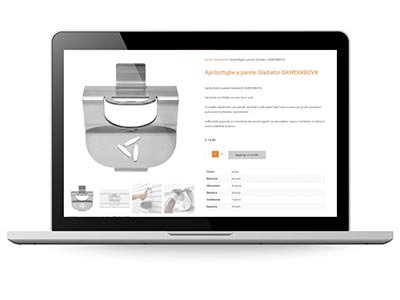
In fact, viewing from smartphones is mostly vertical, while viewing from Desktops, is horizontal.
Step 5. If you open an e-commerce business, you need to perform SEO optimization
We have dedicated an entire section of our website to the SEO strategy.
To ensure good indexing of your e-commerce, it is essential to prepare an SEO strategy based on:
- Building Buyer Personas (your ideal customer)
- Target market (local, regional, national, international)
- Competitors present online (how are they positioned? What keywords do they use? What content do they publish and how often?)
- Keyword Tree defined with the Client, which determine Business, Marketing and Communication priorities.
Item 6. Consistency and constant updating of content
6.1 Consistency of published content
Whether it is a small or large e-commerce, essentially, information management requires editorial planning consistent with the site’s Mission, Buyer Personas, and SEO Strategy adopted.
6.2 Constant updating of content
Search engine spiders, when they arrive on our online store, scan and check its content.
If we constantly update the site, each time the spiders pass through, they will detect new content. And they will then be stimulated to return to the site to see if there are new updates.
Conversely, the fewer updates we make to e-commerce (new products, blog articles etc.), the less the same will be visited by search engines, thus penalizing its visibility on the SERP (search engine results page).
Most likely, your Company does not have products all week that are new to publish.
This is why we recommend that you integrate a Blog section that also addresses an additional important need: Providing valuable content to your customers and potential customers (Inbound Marketing).
In the Blog section you can upload texts, videos, description sheets, and demo e-books of your products or services.
Do you sell lawn mowers? Post articles on how to use it, what is the best time of year to cut grass, how to maintain it, etc.
Do you dispense software online? You can publish content to explain how to best use your technology and make sure your customers are fully satisfied with it.
If you publish valuable content, explanations and insights, your customers will be happy and will resort less to customer and post-sales support.

Item 7. Internal link building
For proper indexing, and to improve the user’s browsing experience, it is essential to carry out proper internal link building.
Basically, each page and/or product that make up the e-commerce, must have one or more links within them, to one or more contents of the site itself.
This way the spiders, following the link, correctly index the site.
In addition, the user, thanks to the links, is led to open other product or explanation pages in order to investigate topics of interest.
These concepts are the basis of the Inbound Marketing Strategy.
With the implementation of Google Analytics that we’ll tell you about later, you can analyze user behavior and find out that, thanks to your internal links, they visit more pages.
Item 8. Popularity and Authoritativeness of the Domain
8.1 Popularity
It indicates the popularity index of an e-commerce site. This does not mean that the site is particularly knowledgeable in a specific subject, but that it is known to the general public.
8.2 Authority or Domain Authority
The Domain Authority is one of the most important factors of SEO Search Engine Optimization, not to be confused with Popularity.
A site is authoritative when it is recognized by the community as Competent in that given subject.
For example, a Journalist may be extremely competent in a particular subject, be recognized by that specific Community, but not by the Collectivity.
8.3 The GOAL
Having an e-commerce with high Authoritativeness and high Popularity on a specific topic.
Basically, it is essential to make your e-commerce site the authoritative reference point for all those who search for your Products and/or Services.
This important Goal is achieved through intensive Content Marketing, through which you plan to publish content that is consistent, useful and valuable to users.
Step 9. Fast, high-performance hosting to open an e-commerce
The Internet has accustomed us to the possibility of taking advantage of so many high value-added services at very low cost.
Just think of e-mail. With the advent of Gmail, Google’s free e-mail service, all service providers have found themselves forced to drastically reduce their price lists.
Our advice is not to skimp on the hosting service, both in terms of e-mail and publishing your e-commerce.
Why invest thousands to build a website, or an e-commerce, rich in content products and services, and then save on the service that makes them usable on the web?
Haven’t you ever arrived at an e-commerce, and had to wait a few seconds before displaying the requested products?
This results in very high page abandonment.
If you have Google Analytics installed on your site, you can verify this by looking at two key metrics:
- Bounce rate: indicates how many people left the site without browsing
- Session duration: indicates the average time spent by a user on the site
If the bounce rate is high, and the dwell time is extremely low, it means something is wrong.
Users leave the site before reading your product descriptions.
This, many times, is determined by a slow hosting service.
Remember, hosting is critical, it makes everything faster, usable and interactive, good hosting makes your Business run.
We at Factory Communication publish our clients’ e-commerce exclusively on the KINSTA platform. Which guarantees maximum speed and scalability over time.
10. Migration from HTTP to HTTPS
Google has announced that, starting in July 2018, it will give increasing prominence to HTTPS-rated (substantially more secure) sites over, say, traditional HTTP sites.
We recommend that you immediately check if your e-commerce is in HTTPS.
Simply go to the navigation bar. If you find a padlock, that means it is in HTTPS:

Otherwise you will get an “unsafe site” message:

To date, already more than 50 percent of sites have been migrated to the most secure standard it guarantees:
- Encryption: protects the user while they are browsing, protecting their information and activities.
- Data integrity: data cannot be changed or deleted during transfer.
- Authentication: It proves that your customers end up on the intended site, giving them trust and greater security.
Having a site in HTTPS format is extremely important, and it is a feature closely related to the hosting service.
11. Linking e-commerce to Google Analytics service or similar
Currently there are a lot of online services, which allow us to check the effectiveness of the Web activities we are doing, through the website.
11.1 Analytics is a free service offered by Google
It is essential to link your site to Google Analytics, as you can check so much information and improve your Web Marketing and Social strategy.
For example, through Analytics, you can check traffic acquisition. Then determine where users are coming from, broken down by source type: Search, Direct, Referral, Social, Email, Other. Not only that.
In fact, Google Analytics also allows you to check the specific pages visited by users, with their browsing path (Flow Behavior).
Very important aspect because, in this way, we have the opportunity to see the entry pages. That is, the pages through which the user enters the site.
In fact, the entry page to our site does not necessarily have to be the Home Page.
And just as we can verify input pages, likewise, we can verify output pages.
This makes it possible to tell whether the user has found what he or she was looking for or not.
11.2 Google Analytics data for your e-commerce.
This information is not taken for granted. In fact, it is often crucial. Especially for understanding user behavior when browsing our online store.
Knowing how Google sees and interprets our site, is critical.
Google is our best ally.
If we do not properly communicate to Google what we do, it will not properly present us on the Web. Drastically reducing our Business opportunities.
12. Connecting your e-commerce to the Google Search Console service.
If we connect Google Search Console to Google Analytics, we can get an even more detailed overview of what the user is searching for.
If we don’t know what the user is looking for, how do we plan our Marketing Strategy?
Thanks to Google Search Console, it is possible to understand the Search Queries, that is, the keywords used by the user to get to our site.
If the user comes to our site through searches (keywords) that are not planned by the SEO strategy, and not in line with our business, this can prove to be a big problem.
Thanks to Google Search Console, it is then possible to understand whether there is a match between the keywords we entered, and the searches made by the user. And consequently make any changes or additions.
Opening an eCommerce store: related articles
If you want to implement your eCommerce with WooCommerce also read these articles:
- SEO Consulting for WooCommerce
- Creating an e-commerce site to sell online: a guide for Entrepreneurs
- Ultimate SEO checklist for Your E-commerce!
- E-commerce seo optimization: what to do?
- SEO consultant for e-commerce
- WooCommerce vs Shopify with a look at SEO
- WooCommerce Merchant Center: boosts online business
- SEO product tab: optimization for WooCommerce