
In this article we analyze WooCommerce Abandoned Carts, how to manage them and which plugins to use to improve the conversion rate.
If you are reading this article you probably typed one of these keywords into Google:
- email cart abandoned
- recovery of abandoned trolleys
- abandoned cart email example
- abandoned trolley recovery
In this article, we will explore the importance of abandoned cart management, the benefits a business can gain, and the tools or plugins that can be used on WooCommerce to address this problem.
Shopping cart abandonment is a widespread problem in eCommerce, with abandonment rates that can exceed 70 percent.
The reasons behind this behavior can vary widely.
Some users may be put off by unexpected shipping costs, while others may find the checkout process too complicated or lengthy.
Lack of preferred payment methods can also play a significant role.
Abandoned WooCommerce carts: why monitor them?
Therefore, it is essential to constantly monitor our online store to check:
- The user experience: are the product search, categories, descriptions the navigation menus all properly usable?
- Is the purchasing process clear and functional?
- Do payment and shipping management allow maximum freedom to our potential customer?
- Usability on all mobile and non-mobile devices: Desktop, Tablet and Mobile
- The speed at which the site and each individual page opens. If a product takes more than 3 seconds to open, you have probably already lost the sale.
Perform an Audit of your eCommerce now and check performance using tools such as Google Page Speed. - L’Web accessibility: Your site is usable by people who have even a mild form of disability, or encounter technical or navigational barriers when trying to access your content.
As you can see, the reasons that can lead to the abandonment of a cart are truly many.
Regardless of the reason, each abandoned shopping cart represents a lost sale and an unacquired potential customer.
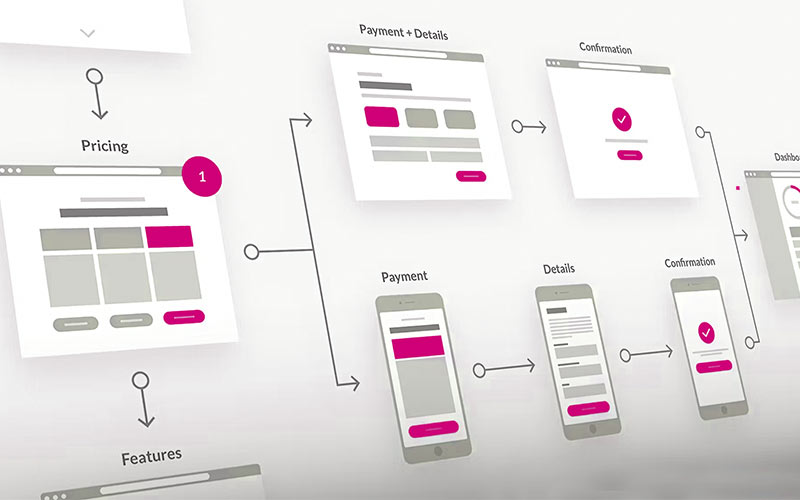
Trolley abandonment, what is it?
Cart abandonment occurs when a potential customer visits your online store, selects one or more products, starts the checkout process, but abandons the process before completing the purchase.
If you have an e-commerce business, and you don’t have a system that analyzes how many carts are abandoned, you probably don’t know how much business you’re losing.
A recent statistic says that 70 percent of all carts are abandoned.
This means that for every 100 potential customers, 60-70 leave your store without buying.
In analyzing the traffic and cart abandonment of some of our clients’ e-commerce, I found that, fortunately, the abandonment rate is significantly lower, about 30 percent. But it’s still a lot of money.
Although it may seem strange, we can glimpse positives even from an abandoned trolley.
“Cremonesi, what are you talking about? Are you kidding me?”
I know this may sound absurd, but let me explain further.
If a user has clicked on your site, selected products and placed them in their shopping cart, it means that you have generated interest in them. So much so that you induced him to proceed with the purchase (without, however, concluding it).
The point is, how can you benefit from it?
Converting these potential customers is relatively easy, the important thing is to acquire useful information through the site, chat and WhatsApp to further profile your potential customer.
Abandoned carts: Example
Imagine a situation like this.
You are on vacation, and yet, your online store is active.
A lead enters your website, adds products to their shopping cart, and leaves.
The highlight, the short time frame we have to recapture the user’s attention, is at the exact moment of cart abandonment.
However, if we are busy on the beach, by the pool, or in the mountains, we may realize “too late” that one of our ideal potential customers “abandoned us.”
And a email marketing strategy late, may be inefficient.
It will result in cold communication, and in any case, our message will be delivered to the user when he or she has lost attention to us by then.
However, if as soon as they leave your ecommerce, they are contacted back with an abandoned cart e-mail (within a set time frame), that’s when the focus on your ecommerce will return to the forefront.
Here. This procedure corresponds to the exact explanation of what automated workflows are.
The greatest advantage of setting up workflows, is that once set up, they hardly need to be reset again.
A workflow, if well designed, works by itself.
Contact shoppers when they are most receptive, dynamically send abandoned cart emails, show pop-ups, etc.
Not only that. It also keeps track of users with personalized content.
Now, let’s see together how to automate this for your E-Commerce, step by step.
Abandoned WooCommerce shopping cart: Why is it important to manage it?
Managing the abandoned shopping cart is one of the most critical and common challenges for any online store.
Users often add products to the shopping cart, but leave the site before completing the purchase.
And now let’s look at 3 good reasons to manage Abandoned Carts.
Increased Sales
Recovering abandoned carts can lead to a significant increase in sales. Cart abandoners have already expressed a concrete interest in your store’s products, so they are potential customers with a high likelihood of conversion.
Improved User Experience
Analyzing and understanding the reasons behind shopping cart abandonment can help improve shopping experiences on your site.
This can include optimizations of the checkout process, free shipping offers, and streamlining the payment process.
Customer Loyalty
Follow-up with personalized emails and special offers can help recover lost customers and retain them for future transactions.
Well-implemented recovery strategies can turn a potential abandonment into an opportunity to strengthen the customer relationship.
Abandoned cart plugin WooCommerce
WooCommerce offers a variety of plugins that can help in the management of abandoned shopping carts, providing marketing automation and email marketing features for sales recovery.
Abandoned Cart Lite for WooCommerce
This free plugin allows you to send automatic emails to customers who have abandoned the ‘item in the cart.
You can personalize emails and track carts retrieved.
Go to Abandoned Cart Lite for WooCommerce bu Metorik plugin
YITH WooCommerce Recover Abandoned cart
Jilt is a premium solution that offers advanced shopping cart retrieval capabilities, including integration with WooCommerce. It provides detailed analytics and the ability to create highly customized email marketing campaigns.
Go to YITH WooCommerce Recover Abandoned cart plugin
WooCommerce Recover Abandoned Cart
This plugin helps recover abandoned carts by sending follow-up emails to customers.
It also offers the ability to include discount codes in emails to incentivize purchase completion.
Go to WooCommerce Recover Abandoned Cart plugin
Mailchimp for WooCommerce
If you use Mailchimp, you can create targeted email marketing campaigns to recover abandoned carts.
Integration with WooCommerce allows you to track and analyze user behavior, sending automated emails based on their actions.
Go to Mailchimp for WooCommerce plugin
WooCommerce and HubSpot
If you use Hubspot CRM then you can implement a plugin that allows you to connect WooCommerce to the famous CRM.
You can find installation and setup instructions here:
WooCommerce Hubspot handles abandoned shopping carts
GetResponse for WordPress
If you run an online store with WooCommerce, GetResponse offers tools that make it easy to retrieve abandoned carts. With automated flows, you can send personalized emails based on customer actions, without the need for a dedicated team.
Integration with the store is immediate and secure thanks in part to the official GetResponse plugin for WordPress, which synchronizes customers and orders directly with the platform.
The use of generative AI makes it possible to create effective communications in a matter of minutes.
All this makes it possible to optimize campaign results and concretely improve conversions, providing a smoother and more engaging shopping experience. Find out more on the official website of GetResponse e-commerce section.

WooCommerce Abandoned Carts: Strategies You Can Use
We report some strategies you could adopt to improve your eCommerce performance.
Email Marketing and Marketing Automation
One of the most effective strategies for recovering abandoned carts is sending follow-up emails.
Emails should be personalized and relevant, reminding users of the products they have left in their carts and incentivizing them with special offers or discounts.
WhatsApp Marketing
The same principle as in the previous point applies, in this case it is crucial to capture the mobile number before or during the purchase process. For example, you could implement automated support messages to accompany the user during product search and selection.
Retargeting
Retargeting campaigns can be used to reach users who have abandoned their shopping carts by showing ads of the abandoned products as they browse other websites or social media.
Checkout Optimization
Making the checkout process as quick and easy as possible can reduce the abandonment rate.
Offering different payment methods, making sure the site is mobile-friendly, and reducing the number of steps needed to complete the purchase are all effective strategies.
Managing abandoned carts: Conclusion
Managing abandoned shopping carts is crucial to the success of any eCommerce business.
By implementing effective recovery strategies and using the right tools and plugins on WooCommerce, you can significantly reduce the abandonment rate and increase sales.
Analyzing data, optimizing the checkout process, and using email marketing and retargeting are all tactics that can help turn abandoned carts into completed sales.
FAQs abandoned cart management
Here you will find a list of FAQs we have selected for you:
Users abandon shopping carts for various reasons, including high shipping costs, complicated checkout processes, lack of preferred payment methods, and simply to compare prices with other sites.
Recovering abandoned carts can lead to increased sales, improved user experience, and customer loyalty.
Some popular plugins include Abandoned Cart Lite for WooCommerce, Jilt, WooCommerce Recover Abandoned Cart and Mailchimp for WooCommerce.
To improve the checkout process, it is important to make it quick and easy, offer several payment methods, make sure the site is mobile-friendly, and reduce the number of steps needed to complete the purchase.
Cart recovery emails should be personalized and relevant, including a summary of abandoned products, special offers or discounts to incentivize purchase completion, and a clear call to action.
In addition to email marketing, retargeting campaigns and optimizing the checkout process are effective strategies for recovering abandoned carts.
Is your eCommerce built with WooCommerce?
Also read these articles:
- E-commerce seo optimization: what to do?
- WooCommerce vs Shopify with a look at SEO
- WooCommerce Merchant Center: boosts online business
- Facebook for WooCommerce, the Plugin to boost sales
- WooCommerce Hubspot handles abandoned shopping carts
- SEO product tab: optimization for WooCommerce
- HubSpot pricing for startups
- SEO Consulting for WooCommerce