


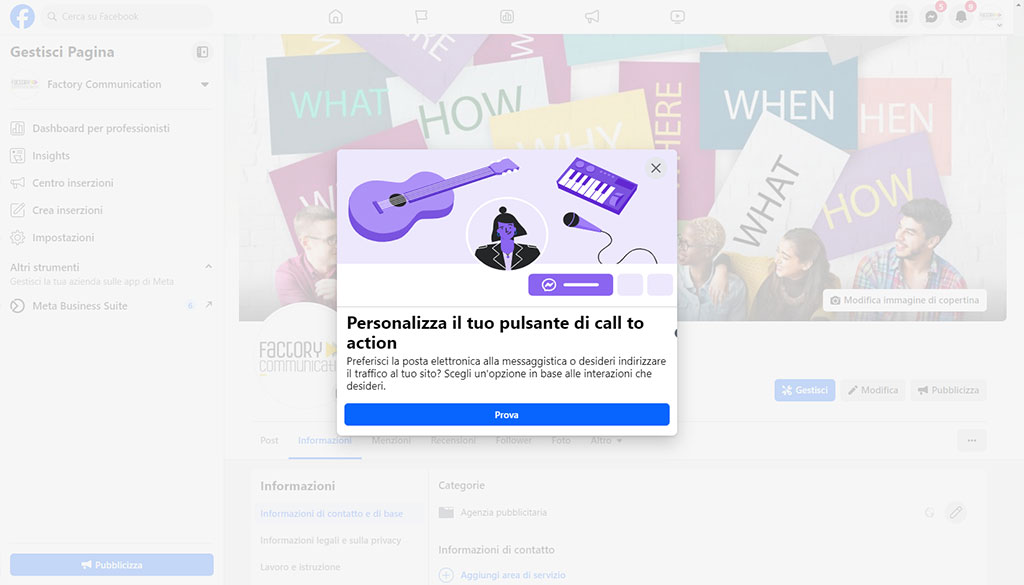
In this article we look at why it is important to add a call-to-action button to your company’s Facebook page.
As we always say Social Networks can be an extremely important resource for corporate business growth.
They allow us to talk to our target audience (buyer persona) and reach lots of potential new customers.
This feature allows you to increase your opportunities to acquire new Contacts and Customers.
The call to action button that was added to the Facebook Pages (not to profiles) links to any destination depending on the intended goal.
We emphasized not to Profiles, because Facebook has always discouraged the use of a personal Profile to advertise Companies, Brands, Public Figures etc…. since Pages were born with this very purpose.
Why add a call-to-action button to your company’s Facebook page
Adding a call-to-action(CTA) button to your company’s Facebook page can be a great way to increase visitor engagement and prompt them to take a desired action.
Here are some of the reasons why it is important:
1. Call to action
A highly visible and strategically placed CTA button clearly tells visitors what you want them to do, whether it’s visit your website, sign up for your newsletter or contact you for more information.
A highly visible and strategically placed CTA button increases engagement and conversions:
- Clearly invite visitors to take a specific action, such as visiting your website or contacting you
- Makes it easier for potential customers to take the next step in the customer journey
- Significantly increases opportunities to gain new contacts and customers.
2. Increase conversions
It makes it easier for potential customers to take the next step in your customer journey, whether it’s a purchase, a reservation or a simple inquiry.
Increases marketing effectiveness
- Creates a direct incentive to action for users
- It makes it easy to measure conversions and evaluate the effectiveness of ads.
3. Monitoring the results
Facebook provides detailed analytics on the performance of your CTA button, so you can see how many clicks and conversions it generates. This allows you to optimize your CTA button over time for the best results.
Forward allows you to improve page performance:
- Allows detailed monitoring of CTA button performance through Facebook analytics
- It allows the button to be optimized over time for the best results.
4. Stand out from the competition
Differentiate your brand:
- Distinguishes you from competitors who may not use this tool
- Draw visitors’ attention to your page.
Not all companies have a CTA button on their Facebook page.
By adding one, you can stand out from the competition and attract the attention of visitors.
5. Promoting various goals:
You can use different CTA buttons to promote different goals, such as one for your website, one for your online store, and one for your contact page.
In general, a CTA button is a valuable tool that can help you get more out of your business Facebook page.
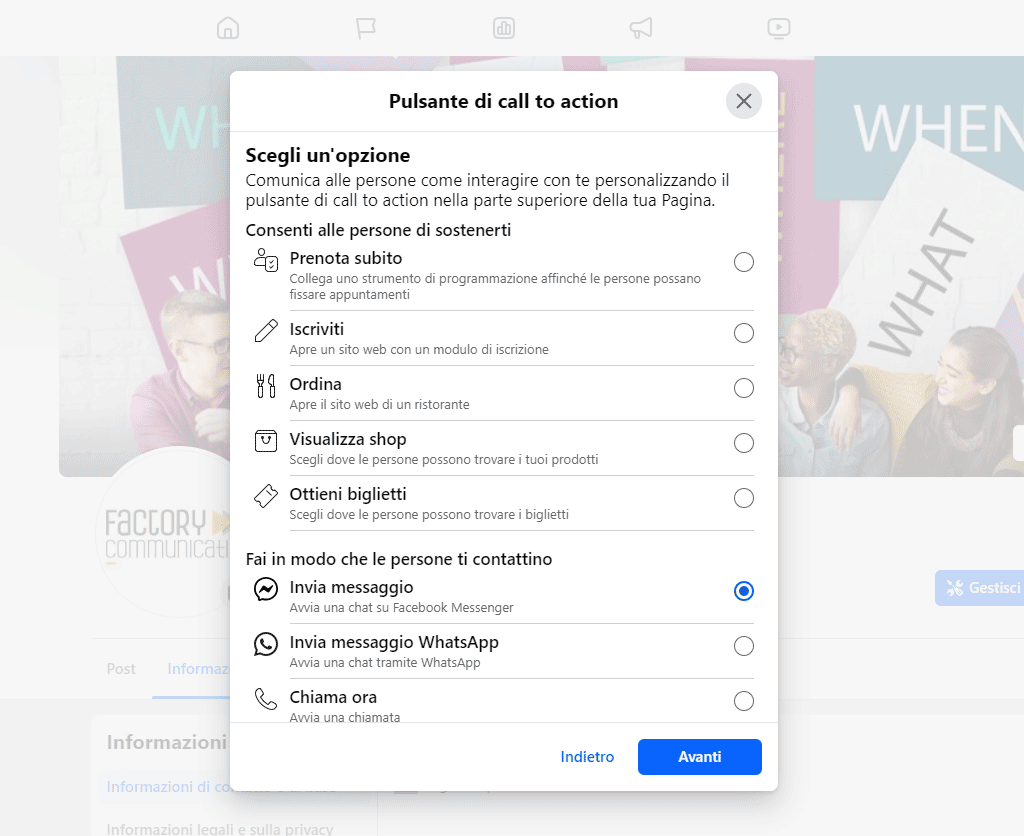
Facebook page call-to-action button: which one to choose?
There are so many solutions that you will surely find one that meets your needs.
The Meta Team divided them into 3 macro groups:
1. Allow people to support you
- Book now
- Sign up
- Order
- View Shop
- Get tickets
2. Get people to contact you
- Send message
- Send WhatsApp message
- Call now
- Send email
- Contact us
3. Add a link to your group or app
- Learn more
- Watch now
- Group visit
- Play
- Buy Now
- Book
How can I monitor the results of my CTA button on Facebook
To monitor the results of your CTA button on Facebook, you can use several Facebook analytics and metrics tools:
Facebook Analytics
It provides detailed data on the performance of your CTA button as soon as your campaign is active. You can view metrics such as:
- Number of clicks on the button
- Conversion rate
- Coverage of the post
- Interactions (likes, comments, shares)
Ads Manager
Offers detailed reports on the performance of your listings, including the CTA button:
- Daily expenditure
- Click-through rates (CTR)
- Involvement
- Results for public
Key metrics to monitor
- CTA button clicks: Indicates how many people actually clicked on the button.
- Conversion rate: Percentage of people who completed the desired action after clicking on the CTA.
- Cost per result: How much you spend on average for each conversion generated by the CTA.
- Coverage and impressions: How many people have seen your CTA and how many times it has been shown.
- Frequency: How many times on average a person has seen your CTA.
Optimization strategies
- Perform A/B tests comparing different versions of the CTA button to determine which works best.
- Analyze data over sufficiently large time periods (7-30 days) to account for “late attribution.”
- Use the UTM tracking code in the URL linked to the CTA to monitor traffic from Facebook on your website.
- Compare CTA performance with previous periods to identify trends and improvements over time.
- Monitor marketing KPIs of effectiveness (cost per result) and quality (engagement, CTR) for comprehensive evaluation.
Remember that CTA button optimization is an ongoing process. Regularly analyze data, test different variations, and adjust your strategy based on the results to maximize the effectiveness of your CTA on Facebook
Do you want to use Facebook for your Social Marketing Strategy?
Perhaps you may also find these articles helpful: