In this article, find out why we at Factory Communication have chosen the WordPress CMS for website creation!
CMS stands for Content Management System, in other words: content management system.
This means that once I have defined the aesthetics of the site by setting all the graphic parameters and styles (CSS), I only have to worry about inserting content.
No more problems with text formatting, placement of articles within pages, icons, table setup.
Above all, this makes it possible to maintain consistency in graphics and communication, even if different people are entering content.
16 good reasons for the create a site with WordPress
Official definition in Wikipedia
“WordPress is a personal publishing and content management system (CMS) software platform, developed in PHP and using MySQL as its database. It allows the creation of a website consisting of text or multimedia content, which can be easily managed and updated.”
We report below some key reasons why we chose WordPress over some competitors:
1. You are not related to our agency
Our Mission is to achieve the Marketing, Communication and Commercial objectives defined von the client.
We have published an area on the website dedicated to Spiritual Business or Ethical Business. Our work is based on these principles.
We chose WordPress also for this reason. We don’t want the client to be tied to us because migrating to another system would be complex and costly.
He must be happy to work with Factory Communication and not forced.
WordPress is used by the largest and most organized community of developers and web designers, both nationally and internationally.
This allows you not to be tied in any way to Factory Communication, because with just a few steps the site can be taken over by anyone with technical knowledge.
We also use WordPress to develop our clients’ websites.
In our portfolio you can find many examples of sites and eCommerce made by the agency.
2. Create a site on WordPress because the CMS is totally free
It may sound strange, but despite the fact that WordPress is a totally free platform, it is the most versatile and widely used platform in the world.
Their business model is to sell additional supplementary services such as, for example, hosting.
3. Free use of MySQL database
Databases are the structural basis of websites based on a Content Management System.
What we see on the front end (the part visible to users of a site) is composed and generated through the software from the data contained in the databases.
WordPress uses the MySQL database which, unlike Microsoft SQL competitors, is totally free.
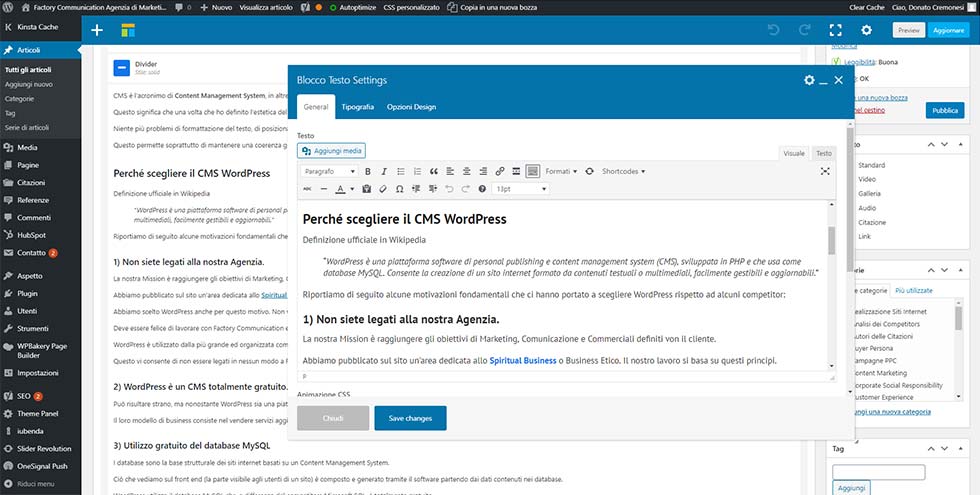
4. Lightning-fast data entry thanks to a super-simple interface
Using WordPress is very simple. The interface is that of a video writing program such as Word and Open office.
The training course generally lasts a minimum of 2 to a maximum of 4 hours.
5. Virtually unlimited management of the number of users and their profile
Regardless of the type of website you want to make, WordPress allows you to create different types of profiles: Publisher, Subscriber, Contributor, Author, Administrator.
Managing the different profiles allows different areas of the site to be made accessible, or not.
In this way, only Administrators will have the ability to make changes to the structure of the site (setup, navigation tree, layout, css), while other profiles will have the ability to insert and/or modify only the content and/or pages of the site.
6. Virtually unlimited ability to insert Articles, Pages, images and Attachments
Ability to create and embed videos (although we recommend embedding them on a dedicated platform such as YouTube and/or Vimeo) and endless image galleries (the only limitation is available hosting space).
7. Permanent URLs that help search engine optimization of web pages
For example, an article uploaded to our site will be so represented and seen by search engines:
- www.factorycommunication.it/creare-un-sito-con-wordpress/
- Instead, many sites would publish the article in this way www.nomesito.it/2erud45dklf.php
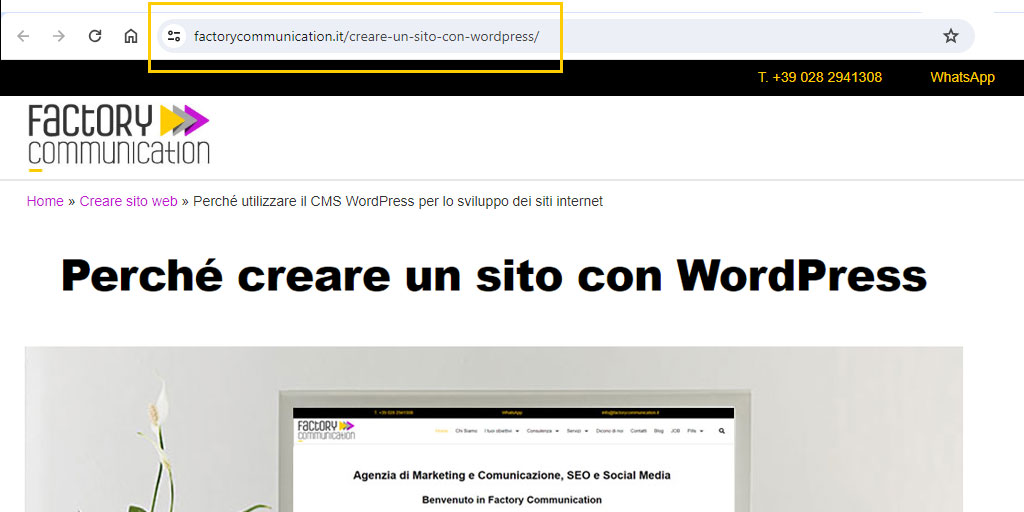
What we have represented is called a “permalink” that is, the link that leads to the specific page on the site.
The wording “2erud45dklf.php” says nothing to the search engines, while “wordpress-cms-for-development-and-website-building” clearly represents the content of the page and is full of keywords.
This is a key element from the perspective of managing the SEO strategy.
8. Trackback and Pingback Functions
Trackback has become very popular in blogs. In this case, a blog receives a series of pings from other blogs and usually displays, under each Post, the list of pings received and referring to that specific post.
Trackback ping or Pingback may contain information regarding the title of the notified resource, an excerpt from it, and the title of the Web site that sent the ping.
The only mandatory information that a ping must contain is the permalink of the notified resource. More simply, we can know when someone has posted a link to an article we published.
9. Supporting Responsive Web Design

It is used to denote a particular Web design technique for creating Web sites in a professional manner.
With responsive, pages automatically adapt their layout to provide optimal viewing depending on the device the user is using to view the site:
- PC with different resolutions
- Tablet
- Smartphones and older generation cell phones
- Web TV
This minimizes the steps required for the user to read the searched content while improving the usability of the site.
10. WYSIWYG editor for text formatting.
WYSIWYG stands for What You See Is What You Get (“what you see is what it is” or “get as much as you see”).
This is very important because many html content editors of sites, do not allow you to have a preview of what you are making and therefore to see the final result of the article or page, you are forced to publish the material on the Web.
11. Logs of users visiting the site
If we enable the comment posting function, we can also ask the user to log in to make the comment.
12. Ability to specify meta tags
A tag is a keyword or term associated with a piece of information (an image, a geographic map, a post, a video clip …), which describes the object making it possible to classify and search for information based on keywords.
Tags are generally chosen based on the SEO Strategy.
In this article you found 12 good reasons to use WordPress to make your new website.
Our advice, if you want to build a content-rich website, is to use a great hosting service so that the user does not have to wait for the content to download.
Hosting is critical to generating the correct user experience.
Creating websites with WordPress: what to do for SEO?
If you are planning to build your website, it is important that you consider the basic rules of SEO Strategy to generate the right search engine rankings.
Below we clarify some doubts about SEO Strategies and other technicalities that we need to take into consideration when we are pondering the implementation of websites in WordPress.
13. What does it mean that is the website optimized for Google?
It means that Big G likes to visit websites made in WordPress as it is easier for it to understand what topics and content the site deals with.
This is due to the language used to develop WordPress, the amount of HTML code produced to generate the page, and the very many features that WordPress provides for its users to better manage content, whether it is text, video, and images.
14. How to improve search engine ranking?
In order to best index our website, it is necessary to implement a thorough SEO strategy.
Making SEO content is not a super simple thing.
As a first thing, it is essential to have some technical basics (we mention only a few):
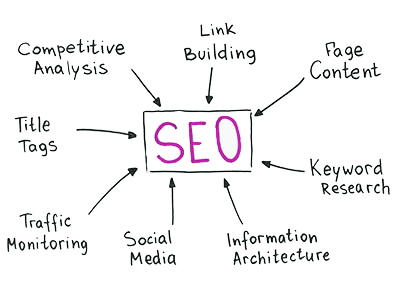
- Identify the keywords most useful to our goal of Communication and thus Google ranking.
- Strategically define Title, Description and Keywords
- Implementing a link building strategy internal to the site to improve the user experience and indexing of content from search engines.
- How to find the most useful keywords for our goal of Communication and thus indexing.
The most important thing to consider is called planning.
15. What does it mean to plan a proper SEO strategy?
During the creation of your site, do not focus only on the graphic aspect, take your time and develop a proper SEO strategy.
This means mainly, but not only:
- Conduct An online analysis of our Competitors’ sites.;
- Check for which keywords they are ranked on the first page;
- Analyzing long tail keywords” (Long tail keywords), that is, those that rank their site from the second page onwards;
- Determine what keywords we want to use to position our site (clearly not just the home page but every article and content on the site, including images)
- Analyze our chosen keywords by comparing them with those of competitors
- Determine which ones to use to avoid choosing keywords that are already manned and would be ineffective, at least initially (which is why long-tail keywords are often preferred)
- Prepare a Communication Plan and related Editorial Calendar, based on the frequency of publication and the Business and Marketing goals we want to achieve.
To perform SEO of sites made with WordPress, several plugins come to our aid.
We prefer Yoast Seo because it is extremely accurate and effective, plus it allows us to have an overview and at the same time specifically control the ranking of each individual article.
This is not to say that the creation of our SEO is totally automated; in fact, one thing that is definitely not possible to automate is just that.
We find it impossible to think that we can totally rely on a plugin, thus a code, to manage our SEO, which, if done correctly and consistently, is based on a strategy, thus not transposable by a machine.
Thanks to Yoast Seo it is possible to check fundamental elements such as Title, Description and Keywords of every single element of the site: static pages, articles, images, texts, categories , tags etc…