


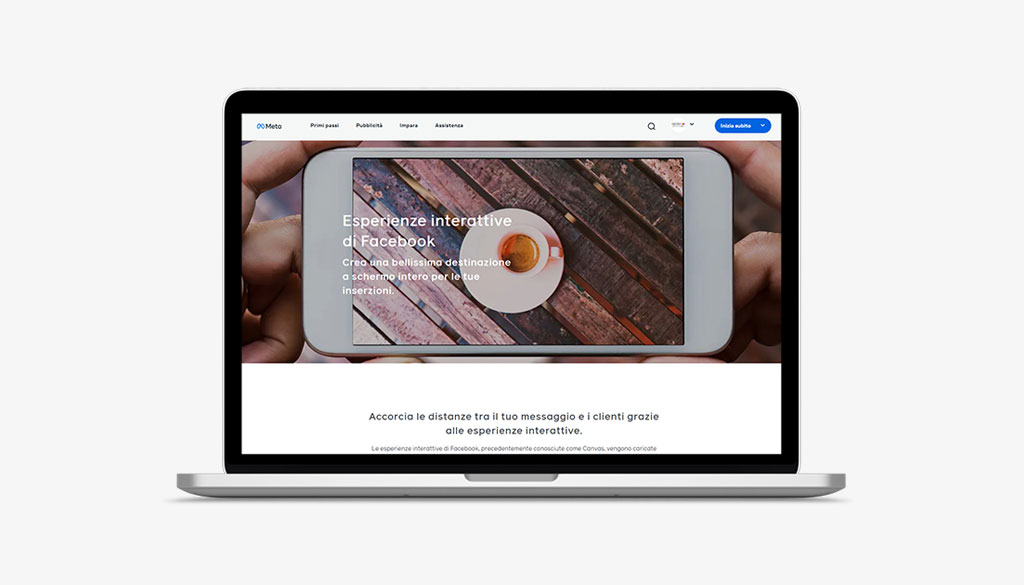
In this article we look at how to increase the number of customers, sales and revenue through Facebook Canvas.
We will look together at how to implement interactive Facebook experiences into your Facebook Marketing Strategy.
Let’s find out about Facebook Canvas
Facebook Canvas is a tool, easy to use and quick to load.
It allows advertisers to create immersive, full-screen experiences.
Capturing users’ attention like never before
It is a very important tool and used daily in strategies web marketing.
Like any marketing activity, before implementing a PPC campaign, it is essential to define what our company’s positioning is.
We invite you to read this section of our website: positioning strategy.
Not only that. For a profitable and continuous return over time, it is also extremely important to define what the customer experience.
That is, what is the experience that our Client will have.
Essentially nothing can be left to chance.
Canva Facebook, full screen interactive ads
They announced them in September and now they are finally here: Facebook has introduced a new format for publishing organic posts and advertisements, Canvas.
An experience called immersive because when the user clicks on the content-which apparently looks like a link, with a preview and caption-the post opens to the full screen, giving the user the freedom to navigate through videos and photos as if they were on the actual page of a site.
These are full-screen interactive advertisements, true mini-sites that feature short descriptions, short videos, slideshows and scrolling, interactive user interfaces.
Facebook Canvas can be very useful if you have decided to set up your shop on Facebook and want to push sales.
Canva FB: How listings work
Canvas ads shown on Facebook can be viewed directly from your smartphone or tablet, without ever leaving your page.
At the same time, through the advertisement posted on the popular social network, you can reach the company’s Website.
The use of Facebook Canvas has, therefore, a twofold advantage for:
- To advertise a product or service, as is the case with regular online advertising
- Refer users to visit the company’s official website.
The benefits of Facebook’s Canvas ads
At Factory Communication, we have always believed in the Facebook ads that we create periodically for our Clients’ corporate pages and business.
Facebook Canvas certainly has very interesting new specifics.
Below are some of the additional benefits over and above those of common listings offered to businesses.
- Promote your brand in a targeted and more effective way.
- Opportunity offered to users to live a truly unique experience, discovering the company’s new products, stories and philosophy in an exclusive way directly from their device.
- Create innovative and engaging advertisements based on interactive video image content that users can view directly in full screen.
- The advertisement format is the size of a common advertisement, but, when the user clicks, it extends to a full screen and becomes a navigable platform.
- Ability to offer an instant type of display, unlike other listings that link to websites.
- Canvas listings open immediately without the user having to wait for a new web page to load.
In summary…personalization, storytelling, creativity, the right mix of photos, videos and call to actions that, when well combined, can boost your Business.
Facebook canvas is an innovative tool that is extremely useful for brands to tell a story and promote themselves in an effective and completely original way.
How to create a Canva Facebook post?
To create a canvas just go to the publishing tools panel, where you will find the option available at the bottom after the forms library.
Once you have entered the contents of the canvas, you can choose to save it as a draft or as a complete unit-it will be saved in the tools panel, ready to become a post on the page.
The Facebook post canva published will not be visible from desktop, so if you want to edit the published post you can only do so through the Facebook pages app, from mobile.
One of the advantages of Canvas is its degree of customization. Because of this very feature, there is no one-size-fits-all way to create it.
Below is a link to the Official Facebook Page which explains, step-by-step, all the essential steps for creating a Canvas unit and guidelines for using it in ads.
As anticipated, today mobile browsing surpasses desktop browsing as a result, users’ discovery of new online content and products also occurs, increasingly, through mobile applications.
As a result, there is a growing need for advertisers to make product and brand advertisements on mobile devices appealing, but more importantly, immediate.
It happens, however, that the loading of mobile responsive sites slows down navigation a lot.
After clicking on the advertisement, in fact, the wait ranges from 5 to 8 seconds. This can lead to discouragement of the user who may abandon browsing.
The main advantages of this new format are:
- the ad opens within the Facebook app, avoiding the loading of an external browser;
- the ad viewable in the news feed opens immediately after a single click. Early statistics testify that the new creative formats introduced by Facebook are liked a lot: about 53% of users, in fact, view the canvas for 31 seconds.
For advertisers, the news is really important, especially for web marketers like our agency.
More creative freedom, more tools, and more interactivity… Canvas meets these needs with a simple, lightweight interface that requires no special code knowledge.
It offers an overview view, total control for managing listings, and shows instant preview of what you are creating.
Consequently, proper use of this new service offered by Facebook will allow you to increase the visibility of your page, making your business even more appealing and interesting in the eyes of users!
Click here to learn about the importance of Social Media Marketing and keep following us to stay up-to-date on the most important industry news!
Do you want to use Facebook for your Social Marketing Strategy?
Perhaps you may also find these articles helpful:
- B2B video marketing: 4 ideas for your strategy!
- New frontier for web marketing: Facebook Messenger Bot
- Why add a call-to-action button to your Facebook page
- Use Facebook as an amplifier: our tips
- Five tactics to improve engagement on your Facebook Business Page
- Why create a business page on Facebook
- Facebook video streaming for groups and events!