


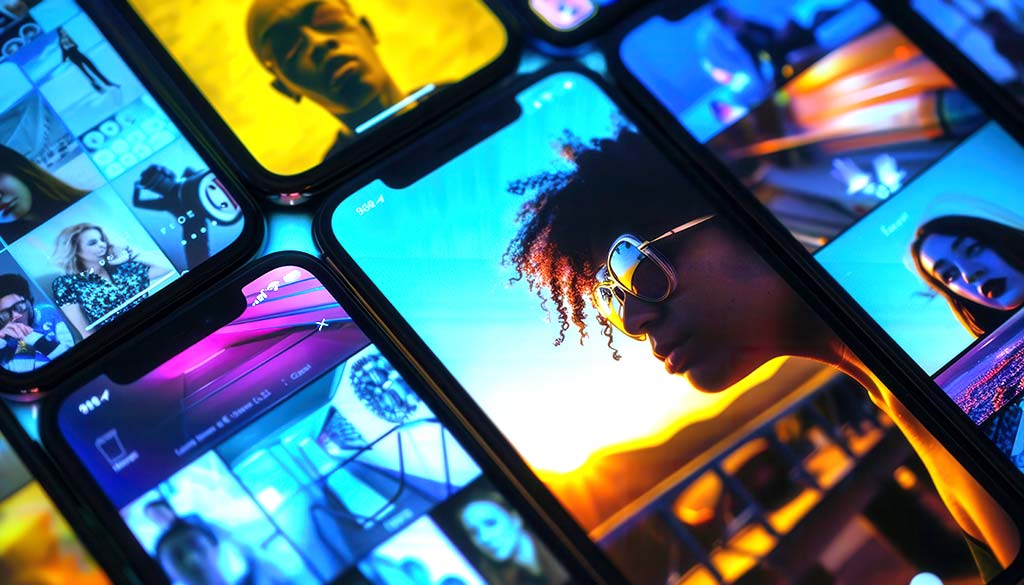
Google VEO video generator is Google’s new artificial intelligence model for generating “studio-quality” videos from text or images, designed to be integrated into companies’ marketing, advertising and content creation workflows.
For a company, it means being able to produce many more videos, more focused and customized, with radically less time and budget than a traditional production.
What is Google VEO
Google VEO (now at version 3 / 3.1) is a video generation model that transforms textual prompts or images into realistic videos, complete with motion, lighting, perspective and, in recent versions, even native audio.
It is integrated into the Google ecosystem (Gemini, Vertex AI, Google Workspace, Google Ads) and designed for business use, not just “creative” consumer use.
For a VEO company, it is basically a “video engine” that can be invoked by different Google tools (Gemini, Google Vids, Vertex AI, Google Ads) to produce content in a scalable and data-driven way.
This makes it a winning element in modern marketing strategies that are based on multichannel and personalized content.
For several years I was involved in video production, and I can say with absolute certainty that making a quality video required, first of all, a lot of planning.
I am not saying that thanks to VEO 3 you can work in a carlona manner, however, the fact that you can do dozens of different variations and solutions in real time allows you to experiment a lot.
Which, at one time, was almost impossible to do. As they used to say on low budget sets, good the first. 🎬🎥😅
How to integrate VEO Video Generator into your marketing strategy
VEO is not just a generator of “pretty to look at” clips, but an operational tool that impacts multiple levels of the marketing funnel.
Here are the main areas in which it can be of practical use to a company.
1. Top funnel: awareness and branding
- Rapid creation of emotional commercials and videos to raise brand awareness, including multiple versions for different target demographics or interests.
- Development of hero videos for social, YouTube and display campaigns, with cinematic quality and without having to organize sets, crews, locations and complex post-production.
With VEO, it is possible to generate dozens of variations of the same creative concept (e.g., “brand poster”) by changing the setting, tone, rhythm, and graphic style in just a few prompts, rather than with expensive reshoots.
This allows you to quickly test what works best on different audience segments.
2. Middle funnel: engagement and education
- Production of explanatory or demonstration videos showing the operation of complex products, SaaS platforms, or services, including simulating realistic environments (offices, factories, stores).
- Creation of tutorials, mini-webinars or educational content in short format, useful for lead generation and nurturing campaigns (landing pages, emails, automation sequences).
A B2B company can, for example, visualize abstract processes (software workflows, automations, data-flows) through VEO-generated clips, making its value proposition much more concrete for prospects and stakeholders.
3. Bottom funnel: conversion and performance
- Dynamic generation of customized video ads for remarketing, with variants tailored for different buyer personas, audience segments or geographic markets.
- Creation of specific videos for retargeting (e.g., abandoned carts, visits to certain product categories, CRM lists), optimized on different levers: price, benefit, urgency, proof.
The ability to rapidly produce many variations of creative allows for A/B or multivariate testing of visual, copy and call-to-action, progressively improving KPIs such as CTR, conversion rate and ROAS. Some case studies report video production cost reductions of up to 90 percent and much faster testing cycles.
4. Always-on and social content
- Continuous creation of short videos for TikTok, Instagram, YouTube Shorts and social platforms, taking advantage of current aesthetic trends and adapting language to communities.
- Generating mobile-first optimized vertical videos, ready to be published or integrated into streams managed by tools such as Gemini and Google Vids.
For a retail or fashion company, this means being able to maintain a constant presence with up-to-date content (seasonal, promotional, trend-based) without the bottleneck of continuous shoots.
How companies can use Google video generator
For an entrepreneur, the key question is: How do you actually integrate Google VEO into the existing marketing mix? Here are the main ways of operation.
Integration with Google Ads and performance campaigns
- Using VEO to generate video creative for use in Google Ads (YouTube, video discovery, Performance Max campaigns) directly linked to targeting and performance data.
- Creation of differentiated assets for each segment (e.g., by interest, in-market, remarketing), with ongoing optimization based on Google Analytics data and recorded conversions.
In a performance-driven context, VEO becomes the engine that fuels the “creative testing loop”: variants are generated, tested, and data drive new creative iterations, dramatically reducing production time and costs.
Use in Google Workspace (Google Vids, presentations, training)
- Within Google Workspace, Google Vids allows VEO to be used to turn corporate text or images into videos for inclusion in presentations, sales materials, onboarding or internal training.
- Companies can quickly create videos for sales decks, pitches, sales network training and visual manuals, increasing the comprehensibility and impact of content.
For an SME, this means being able to better standardize communication to partners, dealers, and the new sales force, maintaining brand and message consistency without having to involve a video agency each time.
Vertex AI and enterprise integration
- Through Google Cloud and Vertex AI, VEO can be integrated into proprietary systems (apps, portals, internal platforms) as a “video generation service” callable via API.
- This opens up advanced scenarios such as product configurators that generate customized videos, B2B portals that produce tailored presentations, or CRMs that trigger one-to-one videos for key customers.
For structured entities (industry, finance, telco, large retail), enterprise integration allows video production and data-driven logic to be aligned at the IT infrastructure level, not just at the individual campaign level.
Use through Gemini and AI guided flows
- In Gemini (Pro and Ultra plan) it is possible to use VEO to generate videos directly from the conversational interface, describing scenarios, storyboards, and editing requests in natural language.
- This makes the use of AI video more accessible even to non-technical teams (marketing, sales, HR), who can interact naturally with the tool and iterate quickly on the outcome.
In practice, the entrepreneur and his team can go from idea to first draft video in minutes, using prompts and iterative feedback, and reserving final refinement and strategy for the agency or creative department.
The main features of Google VEO
VEO features are being updated with new versions (Veo 3, 3.1, etc.), but some basic building blocks are already clear and very interesting from a marketing perspective.
Video generation from text and image
- Text-to-video: from a natural language description, VEO generates videos with consistent environments, camera movement, visual details, and defined style (e.g., realism, cartoon, cinematic).
- Image-to-video (frames-to-video): starting from a product image or brand key visual, VEO creates animations and sequences that maintain consistency of subject matter and visual identity.
This feature is ideal for transforming existing photo shoots into dynamic video content, enhancing existing assets (product photos, packshots, catalog images, key campaign visuals).
Advanced creative control and consistency
- Control of framing, camera movement, clip duration, visual style, rhythm and intensity, with the ability to specify visual references or guiding images.
- “Consistency” functions to maintain the same characters, environments or objects along multiple scenes or videos, critical for brand storytelling or serial campaigns.
This allows a company to build true coherent narrative universes (e.g., mascots, recurring environments, proprietary graphic styles), reinforcing brand recognition even in AI-generated campaigns.
Native audio and vertical video
- Newer versions (Veo 3.1) introduce native audio and improvements in generating videos complete with soundtrack, sound effects, and basic synchronization with the action.
- There is a mode optimized for vertical video generation, designed for mobile-first social (TikTok, Instagram Reels, YouTube Shorts), with composition already calibrated for vertical screens.
For marketing teams, this further reduces post-production steps: the content is already born in the right format for the distribution channel, with basic audio that can be used or replaced during editing.
Tools for A/B testing and creative optimization
- Integration with analytics and advertising platforms to track metrics such as view-through rate, watch time, click-through rate, and conversions for each video variant.
- Workflows that facilitate the regeneration of new optimized versions based on performance, creating a continuous cycle of improvement (“continuous creative loop”).
This approach transforms creativity from a static element to a dynamic lever, with concrete impacts on media efficiency and economic results of campaigns.
Preconfigured templates and use cases
- Ready-made templates for recurring formats: product videos, brand intros, testimonials, explainers, promotional ads, training and presentation content.
- Layouts designed for different objectives: awareness ( emotional storytelling ), consideration (product demonstration), conversion (focus on offer, benefit and proof).
For an SME, these templates reduce the learning curve and allow them to launch structured video campaigns quickly, despite not having a dedicated in-house creative team.
Do you want to create a video with VEO Video Generator?
Here you will find an example of a basic structure for making a product video prompt.
You can use this pattern as a reusable template:
[Shooting type] + [Product] + [Action] + [Setting] + [Audience] + [Visual style] + [Emotional tone] + [Format and duration] + [CTA]
Generic example, to be adapted:
“Generate a 15-second product video in 9:16 vertical format showing [type of product] in close-up, shot with dynamic camera and smooth movements. Setting [describe location, lighting, atmosphere]. Target audience are [describe audience]. Visual style [minimal / premium / lifestyle / tech], colors consistent with [palette or brand colors]. Tone [e.g., energetic and motivating]. Add short, readable text overlays with the main benefit and end with a clear on-screen call-to-action: ‘[CTA]’.”
Entering VEO in partnership with a marketing agency such as Factory Communication allows you to combine the power of AI with strategy, positioning and quality control, avoiding “generic” outputs that do not enhance your brand.
Did you find this article discussing Google VEO 3 interesting.
Perhaps you may also be interested in these articles:
- Google Deep Thinking Ratio: what changes for Italian SMEs in the next 3 years
- How AI crawlers are changing the rules of the game for online sellers
- Video content marketing for your Business
- YouTube AI: what changes for users, creators and companies
- LLM optimization: how to get found by AI models
- Artificial intelligence applied to marketing in 2026
- TikTok Marketing: what it is and how to leverage it for your business