



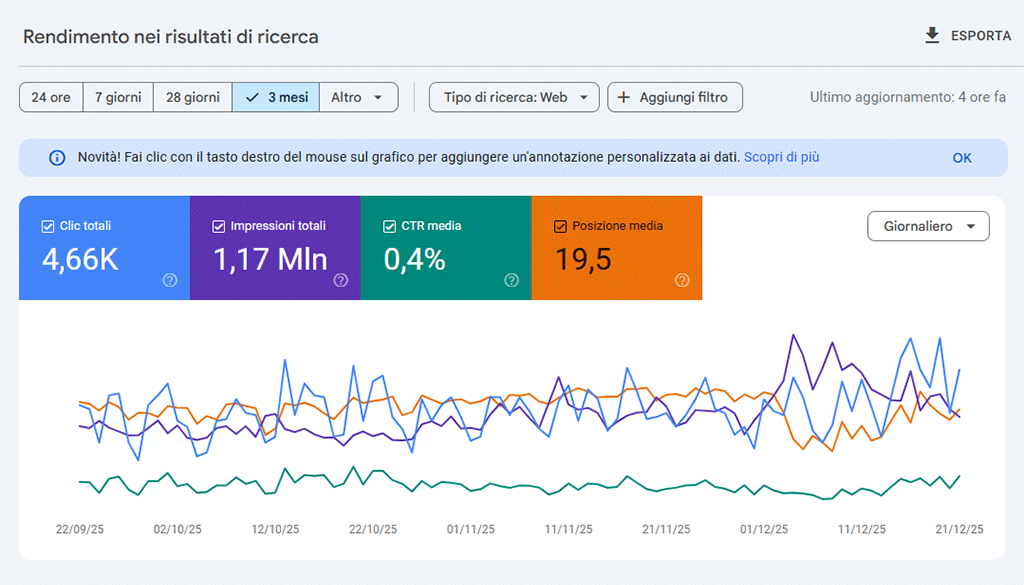
For years, average position has been a benchmark in SEO reports, providing a quick overview of where, usually, a website ranks in Google search engine results.
However, with the introduction of new features based on theartificial intelligence such as AI Overviews and AI Mode, this figure is becoming increasingly misleading: Search Console, in fact, counts all these new “result forms” as part of the same metric.
Why the average position is less useful than before
Google, in recent years, has transformed the results page from a simple list of blue links to a dynamic showcase full of interactive elements:
- AI Overviews that summarize information from multiple sources at the top of the page,
- AI Mode combining AI-generated insights with traditional links
- Information panels
- Box “People also asked”
- Video snippets, local packs, image carousels and news.
All of this has changed the way people interact with search results and fragmented the attention once devoted only to standard links, gradually reducing the share of clicks on traditional organic results.
Therefore, the metric of average position has less real value today.
How AI alters the average position
Search Console today gives AI Overviews the same position value as the first organic result: if a page of yours appears in both the AI Overview box in position 1 and as the fourth blue link, the average position will be about 2.5.
This can give the false impression of being on the first page, even though most of the traffic comes from the link in position 4.
In the past, appearing in marginal positions (e.g., position 12 in a “People also asked” box) lowered the average position.
Today, however, AI-generated items at the top of the page “give” a boost, often unrelated to an actual increase in visits.
Impact on SEO strategy
An artificially “inflated” average ranking can mislead business decision makers about the real success of content: for example, a dashboard reporting an average ranking of 2.3 will seem to indicate great visibility, even if clicks or conversions remain steady.
This can lead to shifting resources to low-value activities or optimizing for “showcase” features that bring no real traffic.
If CTR and organic traffic do not increase along with average position, you risk ignoring warning signs to the point of losing revenue.
Which metrics to favor instead of average position
- Segment positions by result type: separate data by blue link, AI Overviews, “people also asked” box, video snippet, local pack, etc.
- Calculate the CTR for each segment: identify where the actual engagement occurs.
- Monitor absolute organic traffic and compare it with historical data.
- Analyze time on page and link behavior data to conversions.
For a more robust representation, one can use Google Search Console metrics based on percentiles (e.g., P50 and P90), or calculate a “smoothed” average by excluding the highest and lowest 5 percent of positions.
How to apply this new approach
- Export data from Search Console and add a “feature tag” for each query, marking whether it appears as a blue link, AI Overview, People Also Ask,/video snippet, etc.
- Calculate CTR and compare which types of results get real engagement.
- Update dashboards by replacing the average position only graph with histograms by ranking distribution and CTR graphs by result type.
- Optimize: for blue links, strengthen title tag and meta description; for snippets and AI boxes, use structured data and be concise and direct in your answers to users’ key questions.
Generative AI in Google results radically changes page visibility.
Average position used to be one of the few reliable first-party data to rely on, but today it hides more than it reveals.
Breaking down performance by outcome type, measuring CTR and conversions, and adopting metrics such as percentiles will allow you to really distinguish what works.