



In this article we analyze how to implement your LinkedIn SEO Optimization Strategy to expand your potential audience, increase Brand Awareness and visibility of your Company.
If you are reading to this article you have probably typed one of these keywords into Google:
- linkedin seo keywords
- linkedin seo tips
- seo in linkedin
- seo for linkedin
Linkedin for businesses: now you can do SEO on LinkedIn.
This can be great news, especially for professionals who want to network and use professional social to attract new contacts.
In fact, since LinkedIn acquired Pulse, it has given users the ability to write real blog posts that can be indexed by Google.
Linkedin Pulse what is
LinkedIn Pulse is an integrated blogging platform within LinkedIn designed for publishing long-form content directly from your personal or company profile. This feature allows users to share in-depth articles with an audience of professionals and industry leaders, making it a powerful tool for personal branding and professional networking.
Because of this, LinkedIn article writers have been focusing more and more on ‘search engine optimization. But today, a new feature makes this focus even more important within a full-fledged LinkedIn Strategy.
Finally, on Linkedin Pulse you can set the title tag and meta description-two very important text strings to get a good search result on Google. Your content on LinkedIn could then get more visibility.
If you use this social and want to do a lot more with your LinkedIn Strategy , it’s time to also think about a proper content marketing SEO oriented.
Key Features of LinkedIn Pulse
- Accessibility: Pulse is accessible to all LinkedIn users without the need for premium subscriptions. Articles can be created and published directly from the LinkedIn profile, using a simple editing interface.
- Visibility: Content posted on Pulse enjoys broad visibility within the LinkedIn network, potentially reaching a wide audience of interested professionals.
- SEO and Formatting: Users can optimize their articles for search engines and use formatting tools to improve readability, such as titles, subtitles, bulleted lists, and links.
Benefits of Using LinkedIn Pulse
- Personal Branding: Posting on Pulse helps establish one’s authority and credibility in a specific field, allowing one to showcase skills and knowledge to a professional audience.
- Networking and Business Opportunities: Pulse facilitates the building of professional relationships and can be used to develop business relationships and expand one’s network.
- Corporate Content Strategy: Companies can use Pulse to disseminate corporate content, demonstrate expertise in their field, and improve engagement with their audience.
LinkedIn Pulse provides a viable alternative to traditional blogs, offering users the opportunity to publish quality articles directly on a professional platform, thereby increasing their visibility and credibility in the business world.
Why we like search engine optimization on professional social network
A content strategy on social (whether for your business page or personal profile) allows you to bypass many small obstacles that often prevent professionals from using a blog to attract new clients.
First of all, you don’t have all the technical SEO-level concerns that you have to handle on your blog instead: site structure, link building, etc. You don’t even have to master html code.
LinkedIn’s Pulse is an extremely usable platform, a white space where you simply have to write your text. You can break it up into paragraphs, use headings, images, etc.
Compared to LinkedIn posts (status updates, to be clear) you can share much longer and more articulate content.
As a result, you are more likely to place strategic keywords and increase your visibility among Google search results.
Linkedin Analytics also gives you all the insights into the performance of your company page or one’s professional profile.
Also don’t forget that all content posted on Linkedin is “filtered” and managed according to the Social Network’s algorithm.
LinkedIn for Business: The new features for SEO optimization
New SEO features for articles written with Pulse on LinkedIn allow you to set a title tag and meta description.
Title tag and Meta description have two functions.
On the one hand, Google uses this metadata to understand the topic of the article and determine whether it is relevant to the user making a search.
On the other, they form the title and description of the content in the “snippet,” which is the preview that the user sees in the search results.
To write them effectively, you have to optimize them both for SEO and to entice users to click.
Tag Title
The Tag Title or SEO title is a string of text that Google uses to figure out what your content is about. In html code, the Title Tag is recognizable by this structure:
<head>
<title> Your title tag </title>
</head>
With Pulse, you will have a text bar in front of you in which to enter your Title Tag. To write an effective SEO title, remember to use the main keyword and not to exceed 60 characters.
Meta description
The meta description is a slightly longer string of text (max 160 characters) in which to summarize the content of the article. The recipients of the meta description are both the Google bot and the live users who perform the search and who, thanks to this preview, decide whether to click and read.
In the code, the meta description looks like this:
<meta name=”description” content=”Enter your meta description here, so as to entice users to read the article.”/>
Again, Linkedin Pulse SEO simply gives you a space in which to insert your text. A piece of SEO copywriter advice? Always use the keyword and a Call To Action final.
The heading tags
Linkedin Pulse for Business has always also given you the opportunity to use heading tags: H1, H2, H3. In other words, they are multi-level headings and subheadings.
Toward the user, they have the function of breaking up and organizing the text, making it more readable.
For SEO, however, they need to be optimized with the right keywords, because these are items that the Google bot reads and indexes.
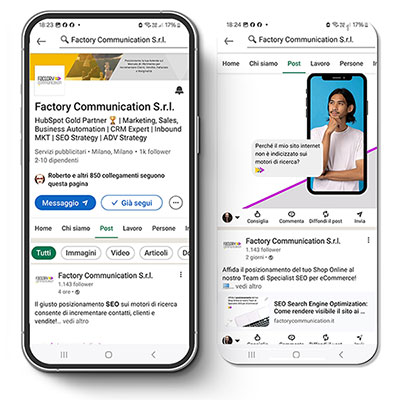
LinkedIn for companies: Why?
Even before this feature came on the scene, it was necessary to have a clear and effective strategy for making the best use of the quintessential professional social.
Today, there are opportunities to be seized on the SEO front, and LinkedIn Strategy becomes even more important and articulate.
Like any digital marketing strategy, you must first identify your goals.
Some examples of goals you can achieve with LinkedIn:
- getting to know colleagues;
- networking;
- Finding qualified personnel;
- Generate leads and attract new customers;
- finding work.
Your target audience:
The focus of your presence and actions on LinkedIn also tightly defines your targeted audience:
- colleagues;
- professionals and startuppers;
- potential customers;
- companies and employers in line with your skills and industry, etc.
At this point, you need a proper content strategy that mixes the use of Pulse posts, messages and articles (SEO optimized, mind you!) to reach your niche of users.
Incorporate LinkedIn into a diverse and balanced marketing mix
Although LinkedIn Pulse for Business allows you to write SEO articles, LinkedIn is not a replacement for a corporate/professional website or blog.
The purposes of the platform are different, and you should differentiate content among the various touchpoints where users come into contact with your professional or corporate brand: website, LinkedIn, Facebook, Instagram, offline material, physical events, etc.
Each part of your brand identity must be connected, but also independent and autonomous, with specific purposes and potentially different audiences.
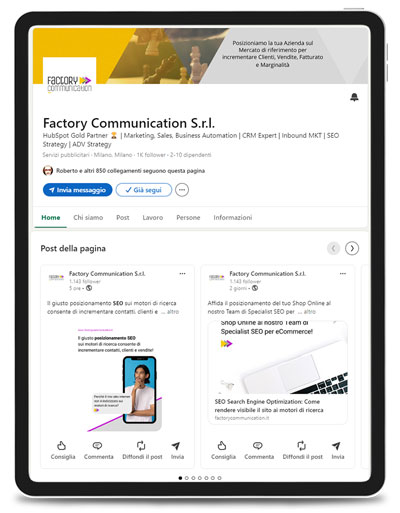
LinkedIn for companies: 5 advantages
When used well, LinkedIn is an extremely effective social network.
The platform is also very versatile and can be used to achieve different goals, by users seeking new opportunities, freelancers and even businesses.
On the contrary, companies should focus heavily on LinkedIn, both to attract talent and to generate leads.
A corporate LinkedIn strategy also should always include optimizing the profiles of employees, who are the first “ambassadors” of the company’s brand and values.
Here are 5 of the main benefits of building a LinkedIn strategy for your company:
- Social is also usable from mobile devices, which allows you to reach your target audience anywhere, anytime, on par with nonprofessional social networks;
- It is a platform increasingly centered on professional use, and the introduction of title tag and meta description optimization in Linkedin Pulse SEO articles goes in that direction:
- In spite of other social networks, the organic reach (non-paid) is still attractive. Ads campaigns are also very effective, especially if you decide to send them directly into the private messaging of targeted users;
- You can use LinkedIn to do lead generation and directly connect with client company managers, follow them, establish conversations and relationships (a godsend, especially for B2B companies);
- It helps you attract talent and professionals in line with your needs, to build enough human capital to achieve increasingly ambitious goals.
Are you looking forward to using LinkedIn to grow your business?
Related articles
- Linkedin 2026: strategies for building a personal brand that generates leads
- Creating a company page on LinkedIn for your Business
- Groups on LinkedIn: Why use them for your Business
- Doing Marketing on LinkedIn: 7 good reasons
- Linkedin Stories: why to use them
- LinkMatch for HubSpot to find customers on Linkedin