
Are you an Entrepreneur, Sales or Marketing Director or the owner of a Business and want to create a professional website indexed on search engines?
Take 5 minutes to read this article!
If you are considering creating a website from scratch, you probably have the goal of acquire new potential customers e increase online sales of your products and/or services.
The most common questions we are asked are:
- What kind of business website should I create?
- If I want to set up an online store, which platform do you recommend I use?
- How much should I invest?
- How long will the upgrade take?
- What results can I achieve?
- Will it be indexed immediately by search engines?
- Can you help me find the right domain name?
- How do I attract new leads and customers?
These are just some of the legitimate questions we are asked when we are asked to create a professional website.
The most important question always remains.
Which web agency to choose?
“Cremonesi I have heard from some web agencies, you are the 4th one I contact. Each of you told me different things, with totally different prices. I have no experience what should I do?”
Don’t worry, you have come to the right place.
I completely understand your frustration.
I was also in the same situation when I decided to change the kitchen.
They all looked the same, had the same accessories but the costs were totally different.
Which one to choose is why?
For this reason in Factory Communication, Web Marketing Agency, we decided to prepare a check list.
If you read this article, you will have taken the first step in making your own professional website.
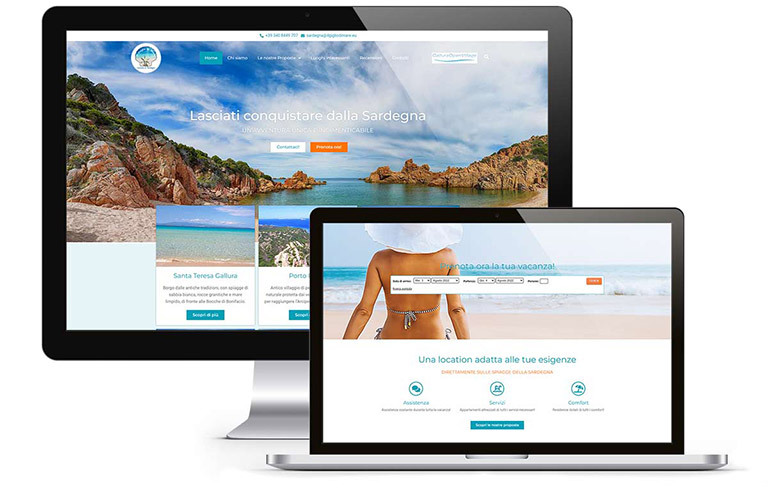
Want to create a professional website? Our 14-point checklist
These are 14 points that will help you understand what elements are important for creating professional websites.
You can use them to compare the different offers you have received and choose the Web Agency that is right for you.
In this image we have summarized the elements that must be taken into account when creating a website from scratch.
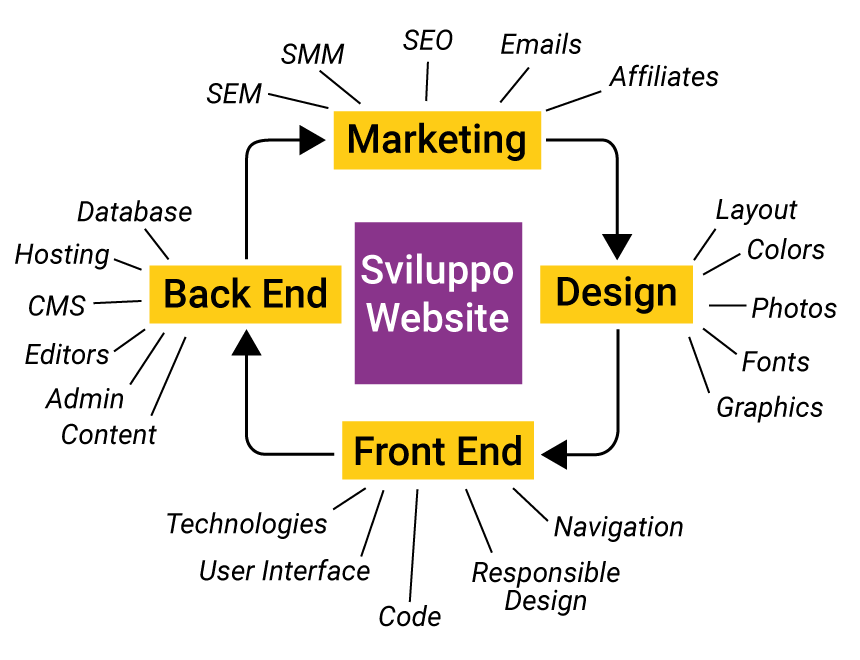
And now let’s look together at our checklist for creating your website
Step 1. Opening speed
We have included this point as the first, because we consider it strategic.
There is no point in investing in content, in advertising campaigns, in the web marketing strategy, if the site is slow. It would be like buying a Ferrari and then putting in the engine of a five hundred.

The speed of opening a website and each of its pages is a very important factor. It depends on multiple factors, many of them related to the hosting service and bandwidth.
A user decides in the first 3 to 4 seconds maximum whether that site meets his or her needs. If the open time of a page is longer than that, they basically leave. You’ve lost a sale or a lead.
The factors that make a site fast are many, and if you have a little patience, reading this article you will see the main ones.
Now I’ll quickly advance them to you:
- Hosting service
- Site structure and setup
- Content optimization especially for images and videos.
Is your website fast?
Has your web agency already made your website? Do you want to check its speed?
You just need to do a test with the free service Google Page Speed
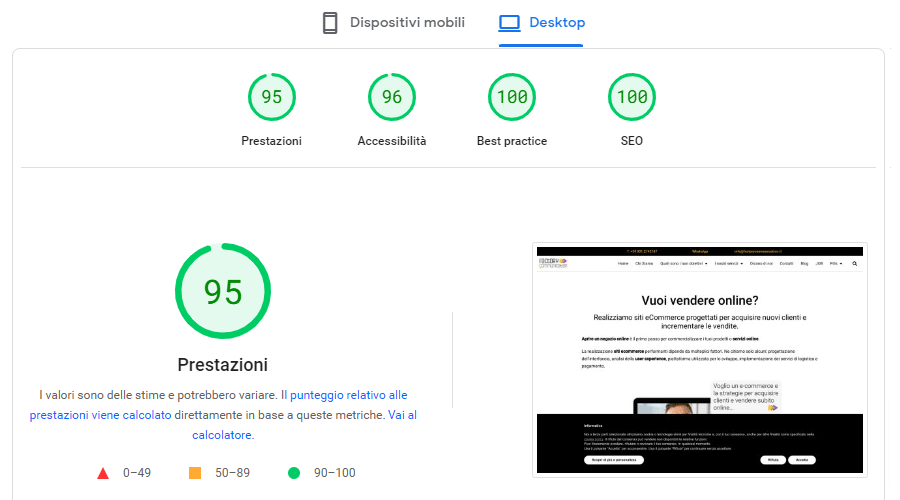
Simply enter the address of your site. Google Page Speed will perform the analysis for both mobile and desktop devices.
If all indicators are green on the hour your web agency has done a great job.
Point 2. Easily navigable = usable
During the design and website creation there are several elements you need to consider.
Many times the focus is on search engine ranking, however, it is useless to receive so much traffic if we offer a bad user experience.
Basically, if the user does not immediately find what they are looking for, they will abandon your site!
Are you really sure you want this?
The right user experience is achieved through proper setup of multiple elements that make up your website.
Let us see, together the main elements.
(a) Navigation tree
To reach a piece of content, a user must make a maximum of 3 clicks
B) Managing permalinks or urls
These are the paths that indicate the location of a piece of content on your website. It is said that urls must be “talking.” That is, they must be short and contain the main keyword related to your content.
C) Internal link building
Content on different pages should be linked via internal links. Link building helps the user to search for the information they are interested in and Google to index your website.
D) Calls to action
commonly known as CTAs (Call To Action). They are critical in making the user understand what they need to do to order a specific product, or request information about one of your services.
E) Contact points
Acquiring new users is an activity that requires a great deal of effort and budget. The more touch points on your site, the greater the opportunities to turn users into leads and customers. I report the main points of contact:
- Phone number and email address with relevant links to be clicked on cell phones
- WhatsApp contact and links to social channels
- Contact form
- Newsletter subscription form
- Live Chat and/or Chatbot
Item 3. Optimized for search engines
Do you remember one of the recurring questions from Entrepreneurs who contact us?
“What platform do you recommend I use?”
This is one of the most important points. There are so many solutions that allow you to create a website.
Technically they are called CMS content management systems.
Why is it important to choose the right CMS?
Because the code with which your website is developed must allow for proper indexing of content by search engines. Otherwise, it will be a struggle to rank online.
We at Factory Communication decided, from the very beginning, to use WordPress.
WordPress is one of the best Content Management Systems on the Market and allows you to create a website without any special programming or html knowledge.
Step 4. Web Responsive & Retina ready

We are in the mobile age (smart-phones and tablets) and a website must be able to be conveniently navigated from any device.
Navigating through these tools becomes more and more important and strategic every day.
Mobile browsing, in some cases, has overtaken desktop browsing; this determines that the site must be “adaptive.”
More simply. The site interface must automatically adapt according to the device (Pc, Tablet, Smartphone) used by the user at that time.
It must also be compatible with the major browsers available today.
Otherwise, the site may be unreadable or difficult to navigate.
Step 5. Images in the correct size
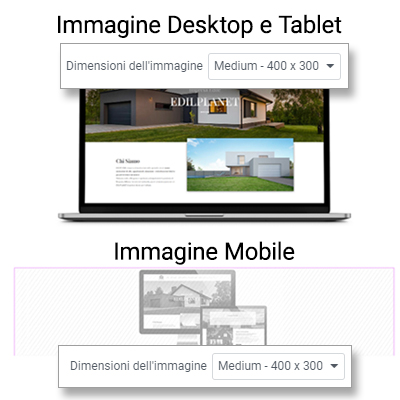
Creating an optimized website is not just about selecting the right CMS.
The big work is really in content creation, especially when we talk about images and videos.
In recent years we have been contacted by so many desperate entrepreneurs. Their website was as beautiful as it was slow.
Having websites with stunning images that take 6/7 seconds to open makes no sense. it means losing traffic, users and sales.
Content optimization is an important factor.
Images should be the correct size and optimized for faster page opening.
Before you start creating a website you should know that each device has its own specific format. Images must match the maximum width of each device and must “weigh” little.
If you were told that because of responsive, images update automatically, you should know that many times this does not happen. For so many technical factors.
If the uploaded images have not been optimized, most likely, your site will be slow.
Step 6. SEO optimization of content
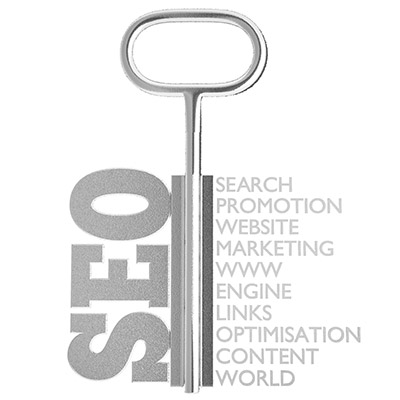
We have dedicated an entire section of our website to the SEO strategy.
SEO strategy enables websites and their content to be placed in the top results of search engine pages.
It is an extremely coveted goal and depends on multiple factors. It is important for you to know that SEO ranking on search engines takes several months and a lot of hard work.
A showcase site, that is, consisting of 7 or 8 pages, is unlikely to rank on Google.
SEO ranking depends on so many factors. For your information, I’ll mention the main ones:
- SEO analysis of your competitors to understand how they are positioned online
- Analysis of searches made by users to understand what keywords they use to search for a product or service similar to yours
- Implementation of SEO Strategy to define which keywords to use to position your website on the web
- Drafting of all site content (including images) according to SEO Strategy
- Implementation of an internal link building strategy to improve user experience and search engine indexing of content
- Inserting TAGs: title tags, meta descriptions and meta keywords are useful for telling search engines what your site is about.
As you have seen, there are many activities to accomplish, but do not be discouraged. If you have decided to carry out organic positioning of your website, you will have excellent benefits.
Item 7. Schema Markup
The use of Schema Markup is part of technical SEO optimization. I deliberately separated it from the previous point because it has a relevant importance for your site’s search engine ranking.
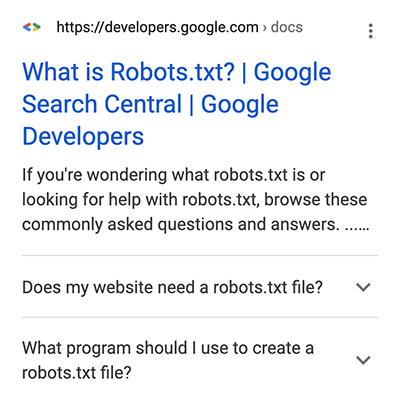
This is a complex technical aspect that, unfortunately, is often overlooked.
Few people are aware of or use Schema Markup.
It consists of a type of metadata (called microdata) that is added to your site to give more information to search engines.
If you are thinking, “But how many things do you have to take into consideration when creating a website?”
I completely understand your frustration; it is not important that you know how to do them. It is important that you in informed and have a complete picture of what is strategic to accomplish.
Before I continue, let me give you a practical example.
If you want to open an e commerce to sell online, it is essential that you know that products must contain specific Markup such as Product, Offer, Review etc.
Hundreds of different types of data can be communicated. Google has made a useful page to show what SERP features you can expect to see when you add structured data to your website pages.
Schema Markup, list of main metadata
At schema.org you will find a complete list of data types. I report the most commonly used ones:
- Organization
- Person
- Event
- Product, Offer, AggregateOffer.
- Review, AggregateRating.
- FAQ
- Creative works: CreativeWork, Book, Movie, MusicRecording, Recipe, TVSeries, etc.
- Embedded non-textual objects: AudioObject, ImageObject, VideoObject.
- Place, LocalBusiness, Restaurant and more.
Item 8. Internal link building
For proper indexing and to improve the user’s browsing experience, it is essential to carry out proper internal link building.
Basically, each page, article or product that makes up your site must contain one or more links within them. The links must take the user and Google to further content on your site.
Link building is definitely a complex strategy especially if you decide to create a blog on your website.
Plans to define:
- The main pages of the site
- The main contents also called the Pillar page
- Secondary content.
Links placed in secondary content must point to Pillar content. Links contained in Pillar articles must point to the main pages. Main pages must point to the Homepage.
Have you decided to create a complex website?
I recommend you to implement the link building strategy, only in this way you will be able to achieve a good position on Google.
Item 9. Domain authority
The Domain Authority is an important factor of SEO Search Engine Optimization not to be confused with Popularity.
Authority Score is composed of multiple metrics used to measure the overall quality of a domain or web page and its SEO performance.
I don’t want to get into technicalities, it is sufficient to know that the higher the authority of your domain the greater the opportunities for it to acquire traffic from search engines.
One of the metrics used to analyze Domain Authority refers to the date of creation of the domain and website.
If you have just registered your Internet domain, unfortunately this value will be Zero. For this reason, there are Companies that resell dated web domains.
Step 10. Fast, high-performance hosting
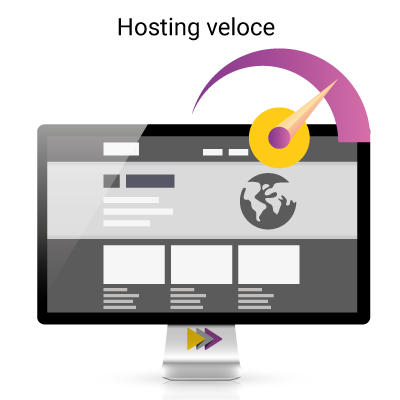
The Internet has accustomed us to enjoying so many high value-added services at very low costs.
Just think of e-mail. With the rise of Gmail, Google’s free e-mail service, all service providers have found themselves forced to drastically reduce their price lists.
Our advice is not to skimp on the hosting service for publishing your website.
Have you ever found yourself arriving at a website and waiting a few seconds before displaying the requested content?
Why invest thousands to build a website, or an e-commerce and then save on the service that makes them fast on the web?
A slow site results in very high user abandonment. If you have Google Analytics installed on your site, you can check this directly by looking at 2 key metrics:
- Bounce rate: indicates how many people have left the site without having browsed it
- Session duration: indicates the average time spent by a user on the site
If the bounce rate is high and the dwell time is extremely low, it means something is not working. Users abandon the site before reading the content.
This, many times, is determined by a slow hosting service.
Remember, hosting is critical makes everything faster, usable and interactive. Good hosting makes your business run.
Step 11. Migration from HTTP to HTTPS
Google has announced that, starting in July 2018, it will give increasing prominence to HTTPS-rated (substantially more secure) sites over, say, traditional HTTP sites.
If you want to create a website or your site is already online, I recommend that you check for HTTPS right away.
Just go to the navigation bar, if you find a padlock it means it’s in HTTPS, otherwise you’ll get a “non-secure site” message.
Don’t be discouraged, switching from the HTTP standard to HTTPS is a very quick task. You only need to install a certificate, generally this service is already part of the hosting contract.
To date already more than 90 percent of sites have been migrated to the most secure standard it guarantees:
- Encryption: protects the user while they are browsing, protecting their information and activities
- Data integrity: data cannot be changed or deleted during transfer
- Authentication: It proves that your customers end up on the intended site, giving them trust and greater security.
Having a site in HTTPS format is extremely important and is closely related to the hosting service.
Step 12. Install Google Analytics and Google Search Console
Currently there are a lot of online services that allow us to check the effectiveness of the Web activities we are doing through the website.
Google Analytics
It is a free service and allows you to check so much information to improve your Web Marketing Strategy.
Google Analytics offers so many metrics such as:
- Traffic origin: where are your users coming from?
- Pages with the most traffic
- Average time spent on pages
- Entry pages: the first page visited by the user, not necessarily the home page
- Exit pages: lets you know if the user found what they were looking for or not
Knowing how Google sees and interprets our site is critical.
Google is our best ally.
If we do not properly communicate to Google what we do, it will not properly present us on the Web, drastically reducing our Business opportunities.
Google Search Console
If we link Google Search Console to Google Analytics, we can get an even more detailed overview of what the user is searching for.
If we don’t know what the user is looking for, how do we plan our SEO strategy?
Using Google Search Console, it is possible to understand the Search Queries, that is, the keywords used by the user to get to our website.
Monitoring traffic to your site is critical to verify and improve your SEO Strategy.
Item 13. Is it easy to rank on Google?
The question of questions, could only be the last one.
Being first on Google is extremely difficult, especially when a site has just been created. Online there are millions of websites, e-commerce, marketplaces and blogs. Why should Google index your website?
It is critical to keep in mind that search engines do what they do, to bill.
Google’s biggest revenues come, still, from its own search engine, via sponsored ads. The famous ADS campaigns ..
To maintain this status Google must ensure that every search made by users generates the “best” answer otherwise users will switch to another search engine.
So Google’s prerogative is to show the best content, the content with clear, up-to-date, useful information for users.
Making this content will require no small amount of effort from your company. That is, you must be determined and firmly believe that being positioned on Google is strategic for your Business.
Item 14. Useful skills for creating professional websites
Here is a list of useful skills for creating your new website:
- Marketing strategy: what goals and results do you want to achieve?
- Buyer Persona Analysis: who is your ideal customer? Who do you want to target?
- SEO strategy: how do you want to rank on search engines?
- Copy and Content Marketing: how do you want to communicate? What is your company’s tone of voice? How should your content be written?
- Web Design: What style should your new website have? What colors, fonts, photos should you use…
- Web Optimization: How should your site be structured? What technologies to use? What plugins to install? What hosting service to use?
I hope I have given you some useful information if you need more information just leave a comment. It will be my pleasure to answer you.
I wish you a great life.